Affordable web-controlled robots are the quickest path to AI-driven inspection, education, and remote ops. See how tiny telepresence bots enable real automation pilots.
Affordable Web Robots: The On-Ramp to AI Automation
A sub-$80 web-controlled robot sounds like a toy. Most companies dismiss it as a novelty—and that’s the mistake.
When a tiny device can stream live video, accept low-latency control from a browser, and share access with anyone who has a link, you’re looking at the basic plumbing of remote operations. Add modern AI on top (even if the AI runs in the cloud), and you get a practical template for inspection, education, and lightweight logistics workflows.
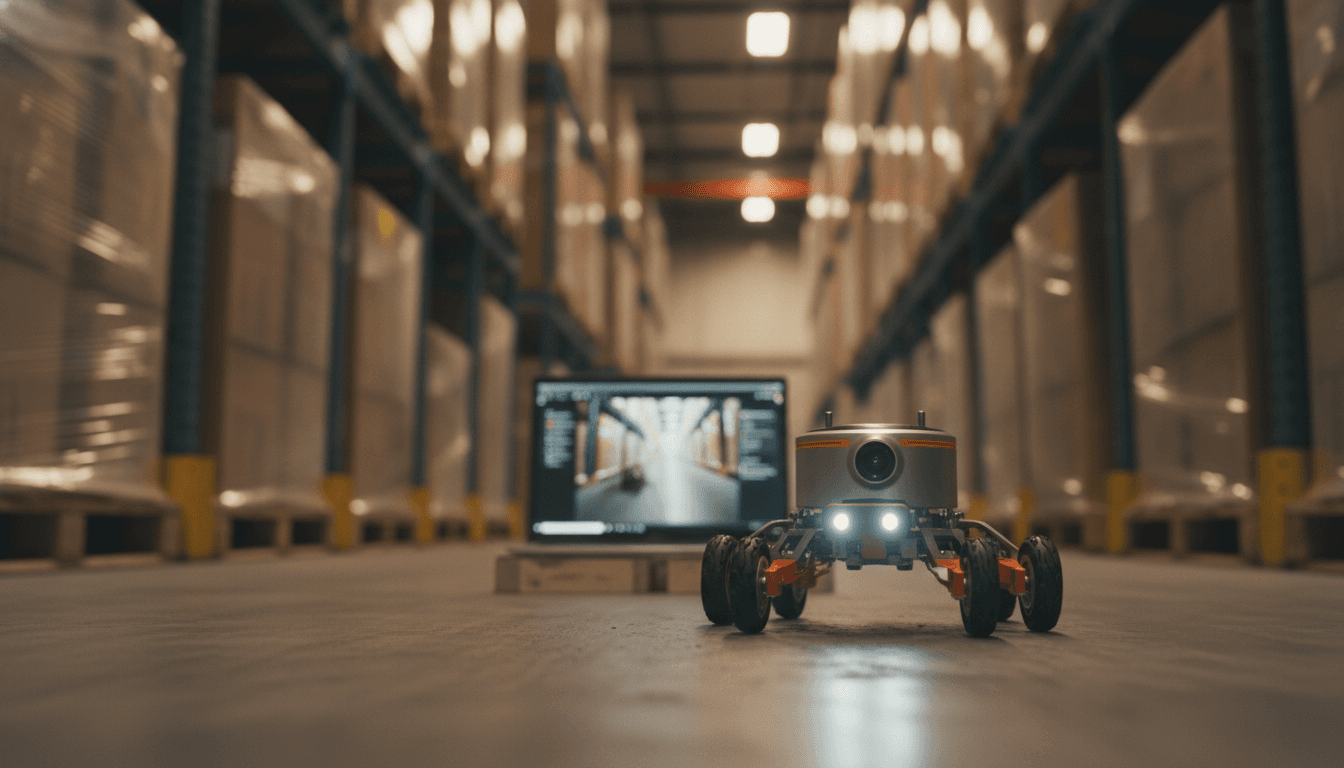
Charmed Labs’ Goby robot is a perfect example. It’s small, open to tinkering, and designed for “tinypresence”—seeing the world from a ground-level point of view. But the bigger story for our AI in Robotics & Automation series is this: low-cost, web-connected robots are becoming the fastest way to pilot AI-driven robotics without betting your budget on a full industrial platform.
Why web-controlled robots matter for AI in robotics & automation
Web-controlled robots reduce friction. If you can operate a robot from a standard browser—no app installs, no device management headaches—you can deploy faster, test faster, and scale access across teams.
That matters because most robotics programs don’t fail on motors or sensors. They fail on operations: setup time, network constraints, training burden, and the difficulty of getting the right people “in the loop” when something unexpected happens.
A browser-first control model does three important things for AI automation teams:
- Shortens time-to-first-use: fewer dependencies means more real-world trials.
- Enables distributed teleoperation: experts can support on-site staff from anywhere.
- Creates clean data loops: every drive session is potential training and evaluation data for autonomy.
The Goby is explicitly designed for remote driving and live video. That combo is exactly what you need to start layering in AI—object detection, route suggestions, anomaly spotting, and eventually partial autonomy.
Tinypresence is more than a gimmick
Tinypresence is a low-angle, close-range view that people rarely instrument well. Fixed cameras miss corners. Phone cameras are inconsistent. Head-mounted cameras can’t fit under shelves or machines.
A tiny robot changes the geometry of what’s observable:
- Under conveyors and racks
- Around pallets, dollies, and staging areas
- Beneath lab benches and classroom setups
- Inside tight maintenance zones where a person can’t comfortably crouch
When you combine that vantage point with AI vision, you get something useful: repeatable “micro-inspections” that can be performed frequently and cheaply.
Goby’s capabilities—what to notice if you’re building real workflows
The headline isn’t the price. It’s the architecture. Goby packs a camera, lighting, sensors, Wi‑Fi onboarding, and browser control into a palm-sized robot.
From the source details:
- Size: 60 × 42 × 38 mm
- Weight: 45 g
- Camera: 1600 × 1200 (OmniVision OV2640)
- Compute: ESP32-S3 running Arduino IDE software
- Sensors: 3-axis accelerometer plus in-wheel odometry
- Runtime: ~1.5 hours
- Autodock behavior: parks itself on a charging pad when battery is low
- Remote access: control can be shared via a unique URL
Those specs point to a pattern we see across modern field robotics: good-enough sensing + reliable connectivity + tight human control loops beats fancy autonomy that nobody trusts.
The tail mechanism is a clue about “field reality”
Goby’s articulated tail isn’t just cute. It tilts the camera and can flip the robot back over if it lands upside down.
That’s a practical nod to the reality of remote ops: the robot will get stuck. It will tip. It will hit thresholds. The best low-cost robots add “self-recovery” behaviors that reduce human babysitting.
In AI terms, self-recovery features are often the first step toward autonomy because they:
- reduce the number of manual interventions per hour
- make deployments less fragile
- create cleaner datasets (fewer sessions end in failure states)
Where AI fits: 5 practical upgrades that make a tiny robot valuable
AI doesn’t need to live on the robot to create value. For many use cases, the robot streams video and telemetry, and AI runs on a local server or in the cloud.
Here are five AI integrations that I’ve found deliver value quickly—without pretending the robot is fully autonomous.
1) AI-assisted teleoperation (the most underrated feature)
The best near-term automation is “operator + AI,” not “AI alone.”
Examples:
- Lane/edge detection that warns when wheels are about to clip a drop
- “Slow zones” detected by visual landmarks (near fragile inventory or students)
- Latency-aware driving assistance (AI smooths joystick commands)
This reduces crashes and makes new operators competent faster.
2) Automated walkthrough reports
If you’re doing repeated checks (a small warehouse aisle, a classroom lab setup, a museum exhibit), AI can generate a structured report from a drive session:
- time-stamped snapshots
- detected anomalies (spills, obstructions, missing labels)
- a simple checklist outcome
The key is consistency: same route, same camera angle, comparable lighting.
3) Visual inventory confirmation at ground level
Traditional inventory scanning assumes line-of-sight at human height. A tiny robot can confirm:
- barcodes/labels low on bins
- items fallen behind pallets
- mis-staged cartons near floor positions
AI vision can flag “label present but unreadable” vs “label missing,” which is often what ops teams actually need.
4) Classroom AI labs that don’t require app installs
For education, browser control is gold. It means:
- students can drive from Chromebooks
- no IT admin overhead to install mobile apps
- remote participation for absent students
Add AI lessons on top:
- teach image classification using the robot’s camera feed
- demonstrate sensor fusion with accelerometer + odometry
- run simple SLAM concepts with recorded sequences (even if full SLAM isn’t on-device)
5) Remote expert support for maintenance and QA
A shared control URL creates a simple workflow: on-site staff places the robot, remote expert drives and inspects.
With AI, you can add:
- “highlight likely wear” overlays
- auto-capture when specific parts enter frame
- detection of leaks, debris, or misalignment patterns
This is especially useful in distributed operations where a senior technician can’t travel to every site.
The hidden business value: cheap robots are fast pilots
If your goal is leads and real deployments, speed beats perfection. Affordable robots change who can run pilots and how many iterations you can afford.
A practical way to evaluate a web-controlled robot for automation work is to score it on four axes:
- Connectivity and latency: can an operator drive without overshooting corners?
- Data quality: is the video stable enough for AI vision?
- Recovery behaviors: how often does it need hands-on rescue?
- Workflow fit: can non-technical staff run it after 15 minutes of training?
If a device scores well on those, it can earn a place in a real process—even if it never becomes fully autonomous.
A note on security (because shared links cut both ways)
Goby’s share-by-URL control is convenient, but operational teams should treat it like granting access to a live camera and a remote vehicle.
If you’re adapting this pattern in a business setting, set basic policies:
- time-limited access links
- role-based permissions (view-only vs drive)
- network segmentation for robots
- audit logs for remote sessions
Security isn’t optional once you move from “fun demo” to “facility workflow.”
A simple adoption plan: from telepresence to AI-driven automation
The reality? You don’t jump straight to autonomy. You earn it in steps.
Here’s a staged rollout that works for many teams:
-
Week 1–2: Telepresence pilot
- pick one route (one aisle, one lab bench row, one exhibit loop)
- define “success” in operational terms (time saved, issues found)
-
Week 3–6: Data capture and labeling
- record sessions at different times of day
- label 3–5 high-value events (obstruction, spill, missing item)
-
Week 7–10: AI assistance
- add detection overlays and auto-snapshots
- measure reduction in operator errors and time per inspection
-
Quarter 2: Partial autonomy
- supervised waypoint driving
- auto-docking + scheduled runs
- exception handling stays human-led
This roadmap keeps humans in control while steadily increasing automation.
What Goby signals about 2026: “robot browsers” and disposable fleets
Affordable web-controlled robots point to a near future where:
- robots are treated like shared web resources (open a link, operate)
- fleets are larger and cheaper, with units dedicated to micro-tasks
- AI features ship as software updates—improving capability without new hardware
In other words, the “robotics stack” starts to look like SaaS: hardware at the edge, intelligence delivered continuously.
If you’re exploring AI in robotics & automation for logistics, education, or remote operations, this is a smart place to start: a low-cost platform that forces you to design the workflow, not just admire the hardware.
The next step is straightforward. Pick one repetitive inspection or support task, test whether browser-based teleoperation reduces friction, then add AI to reduce operator load. That’s how small robots turn into real operational leverage.
If your team is planning an AI robotics pilot in 2026, what’s the one recurring “eyes-on” task you’d automate first: facility checks, inventory confirmation, classroom labs, or remote QA?