Toio ROS 2 wrapper makes AI robot prototyping faster by standardizing control, visualization, and data logging. Build repeatable automation pilots in weeks.
Toio ROS 2 Wrapper: Fast Path to AI Robot Prototypes
A lot of teams talk about “bringing AI to the factory floor,” but the project usually stalls for a boring reason: getting a real robot reliably controllable from your software stack. Not model accuracy. Not “which framework.” Just the plumbing.
That’s why small, well-scoped open-source releases like a Toio ROS 2 wrapper matter more than they look at first glance. When a developer publishes a ROS 2 package that makes a consumer robot easy to command, visualize, and integrate, it becomes a compact testbed for the same integration problems you’ll face in manufacturing, logistics, or service robotics—only cheaper and faster.
This post is part of our AI in Robotics & Automation series, and I’m going to take a clear stance: if you’re experimenting with robot learning, multi-robot coordination, or “AI + autonomy” workflows, a ROS 2 wrapper isn’t a nice-to-have—it’s the starting line.
What the Toio ROS 2 wrapper actually gives you
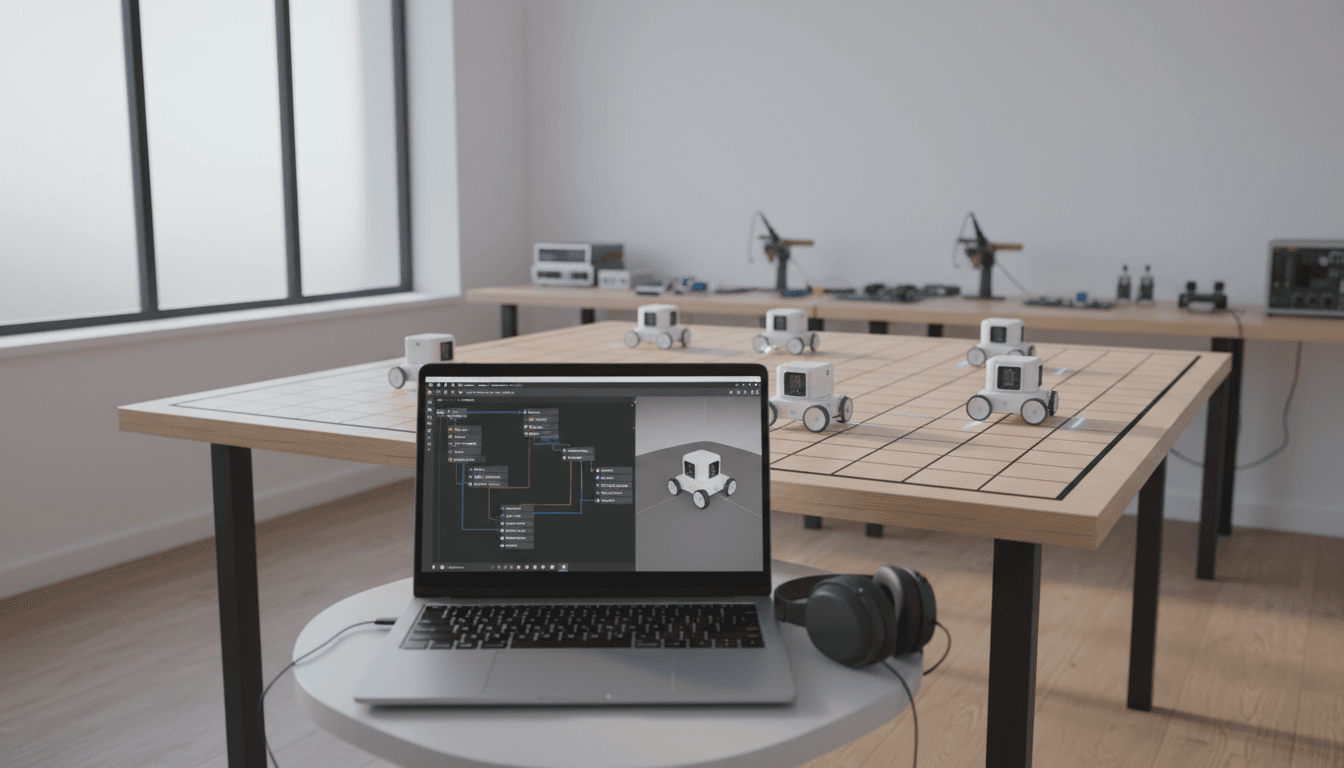
A ROS 2 wrapper is valuable when it turns “I can connect to the robot” into “I can use the robot like every other ROS 2 device.” The newly published Toio ROS 2 package does exactly that: it provides a ROS 2 interface for controlling Toio, plus a companion description package that supplies a 3D model for visualization.
Here’s what that means in practice:
- Standard ROS 2 topics/services/actions (or an equivalent ROS 2 interface pattern) become your control surface, rather than a one-off SDK.
- You can slot the robot into common tooling: logging, introspection, bagging, simulation-adjacent visualization, and modular launch.
- You can work at the right abstraction level: behavior code and AI logic above, hardware-specific details below.
Why the description package is not fluff
The companion “description” package (with a 3D model for visualization) looks optional until you’ve run a real experiment.
When you’re iterating on autonomy or learning-based control, you need fast feedback loops:
- Is the robot’s heading estimate consistent with reality?
- Are commands saturating (clipping) at a velocity limit?
- Is the robot oscillating because your controller is too aggressive?
A simple visual representation in tools like RViz-style workflows often catches issues in minutes that otherwise cost you an afternoon.
Why ROS 2 wrappers are the quiet enabler of AI in automation
AI in robotics is rarely blocked by the AI part. It’s blocked by the messy interface between:
- Physical systems (motors, sensors, battery, Bluetooth/Wi‑Fi links)
- Real-time-ish control loops (latency, rate, jitter)
- Data pipelines (logging, labeling, replay)
- Decision layers (classical planning + learned policies)
A ROS 2 wrapper reduces that friction because it forces a clean contract between layers.
Here’s the snippet-worthy version:
A ROS 2 wrapper turns a robot into a reusable software component—exactly what you need when AI experiments demand repeatability.
The hidden ROI: repeatable experiments
Robot learning workflows live or die on repeatability.
If you can’t reliably:
- command the robot,
- observe state,
- timestamp data,
- replay scenarios,
…then your training results won’t be comparable from run to run, and you’ll keep “improving” models without knowing whether the environment changed.
With ROS 2 in the middle, you can build a disciplined loop:
- Run an experiment
- Record data
- Tweak policy/controller
- Replay and compare
That’s the same pattern teams use for warehouse AMRs and manufacturing cobots—just scaled up.
Where Toio fits in modern robotics workflows (beyond “it’s a toy”)
Most companies get this wrong: they dismiss small robots because they don’t look like “real automation.” The reality? Integration complexity doesn’t scale linearly with robot size. A tiny robot can still teach you the hard parts: connectivity, fleet behavior, software modularity, and closed-loop control.
Three practical AI + Toio experiments that transfer to industry
Below are experiments you can run with a Toio ROS 2 wrapper that map directly to production automation problems.
1) Learning-based line following → visual servoing and quality inspection motion
A simple camera-on-top setup (or overhead camera) can let you test:
- vision-based state estimation
- controller stability under noisy measurements
- recovery behaviors when the robot loses the line
The industrial analog is visual servoing for inspection paths or camera-guided approach motions.
2) Multi-robot coordination → congestion control in warehouses
Even with just 3–10 small robots, you can model:
- intersection right-of-way rules
- deadlock detection
- task allocation under constraints
This mirrors what happens with AMRs in tight aisles, except failures are cheaper.
3) RL policy training on real hardware → sim-to-real discipline
If your team is serious about robot learning, you need a practical path for:
- collecting real-world rollouts
- enforcing safety constraints
- validating that learned behaviors don’t exploit artifacts
A small robot plus ROS 2 wrapper gives you a controlled environment to establish that discipline before you apply it to expensive hardware.
Implementation blueprint: how to use a ROS 2 wrapper for AI prototyping
The best setup is the one that makes failure obvious and iteration fast. Here’s a blueprint I’ve found effective.
Step 1: Treat the wrapper as a hardware boundary
Draw a hard line:
- Below the line: drivers, Bluetooth comms, hardware quirks
- Above the line: behaviors, planners, learned policies, analytics
Your AI code should never “know” about device-specific details. It should only interact with ROS 2 messages and parameters.
Step 2: Standardize your topics and frames early
Even if you’re prototyping, lock down:
- a consistent
base_link-style frame naming - consistent units (m/s, rad/s)
- consistent command semantics (what does “positive angular velocity” mean?)
This prevents the most common failure mode in robotics teams: two subsystems that each work fine, but disagree on conventions.
Step 3: Add an experiment harness (the part most teams skip)
If you want leads from AI work, you need demos that don’t fall apart. Build a harness that does:
- one command to launch the stack
- one command to record the right topics
- automatic “trial IDs” and run metadata (controller version, parameters)
That’s how you turn a neat clip into a repeatable proof-of-concept.
Step 4: Put safety constraints outside the policy
If you’re testing learned control, don’t rely on the model to be safe.
Use a ROS 2 node (or component) that enforces:
- max speed
- geofencing (stay inside a rectangle)
- emergency stop conditions (lost localization, comms timeout)
This structure transfers directly to industrial deployments where safety is a system property, not a model property.
What this means for smart factories and logistics teams
Smart factories don’t fail because they lack AI ideas. They fail because pilots don’t become systems.
A ROS 2 wrapper is a small piece of the “systems” story:
- It encourages modularity (swap planning modules without rewriting drivers)
- It enables observability (record and inspect what happened)
- It supports multi-vendor interoperability (the ROS 2 contract matters more than the hardware brand)
If you’re building AI-enabled automation—predictive behaviors, adaptive routing, dynamic task allocation—your biggest accelerator is a reliable integration layer. ROS 2 plays that role, and wrappers like this one show how quickly new hardware can become ROS-native.
Here’s the blunt takeaway:
AI pilots become production projects when the robot is “just another node” in a well-instrumented ROS 2 graph.
Common questions teams ask before adopting a ROS 2 wrapper
“Is a consumer robot relevant to industrial automation?”
Yes, for software architecture and experimentation. No, for payload and safety certification. The value is in workflow rehearsal: data collection, coordination logic, monitoring, and deployment habits.
“Will latency and wireless quirks ruin AI experiments?”
Wireless variability is part of reality. Use it. Your autonomy stack should degrade gracefully under packet loss and jitter. A small robot is a low-risk way to test that.
“Do we need simulation first?”
Not always. If your goal is integration and real data, starting on hardware can be faster—especially with a ROS 2 wrapper and a visualization model. Simulation becomes more useful once you’ve stabilized message contracts and frames.
Where to go next (and how this ties back to AI in Robotics & Automation)
The Toio ROS 2 wrapper is a simple announcement, but it points to a bigger trend: open-source robotics is making hardware integration faster, and that speed is what AI teams need. December is also when many orgs plan Q1 pilots—so if you’re scoping an “AI robotics” proof-of-concept right now, the right move is to prototype with hardware that doesn’t punish experimentation.
If you’re evaluating AI-enabled robotics for manufacturing or logistics, I’d approach it like this:
- Pick a concrete workflow (routing, inspection pathing, pick/transfer handoffs)
- Implement the integration pattern in ROS 2 with a small, controllable robot
- Prove repeatability with logs and replays
- Port the same architecture to production-grade hardware
If you want a sanity check on your pilot architecture—what should be a node, what should be a lifecycle-managed component, what data you must record to debug learning-based behavior—reach out. The teams that win in 2026 won’t be the ones with the fanciest model; they’ll be the ones with the cleanest integration.
Where do you want your AI to live: inside a brittle demo, or inside a ROS 2 system you can actually operate?