AI for everyday life is here. See how ChatGPT helped plan a halibut trip—and what it teaches startups about AI copilots and customer workflows.
AI for Everyday Life: Fishing Smarter With ChatGPT
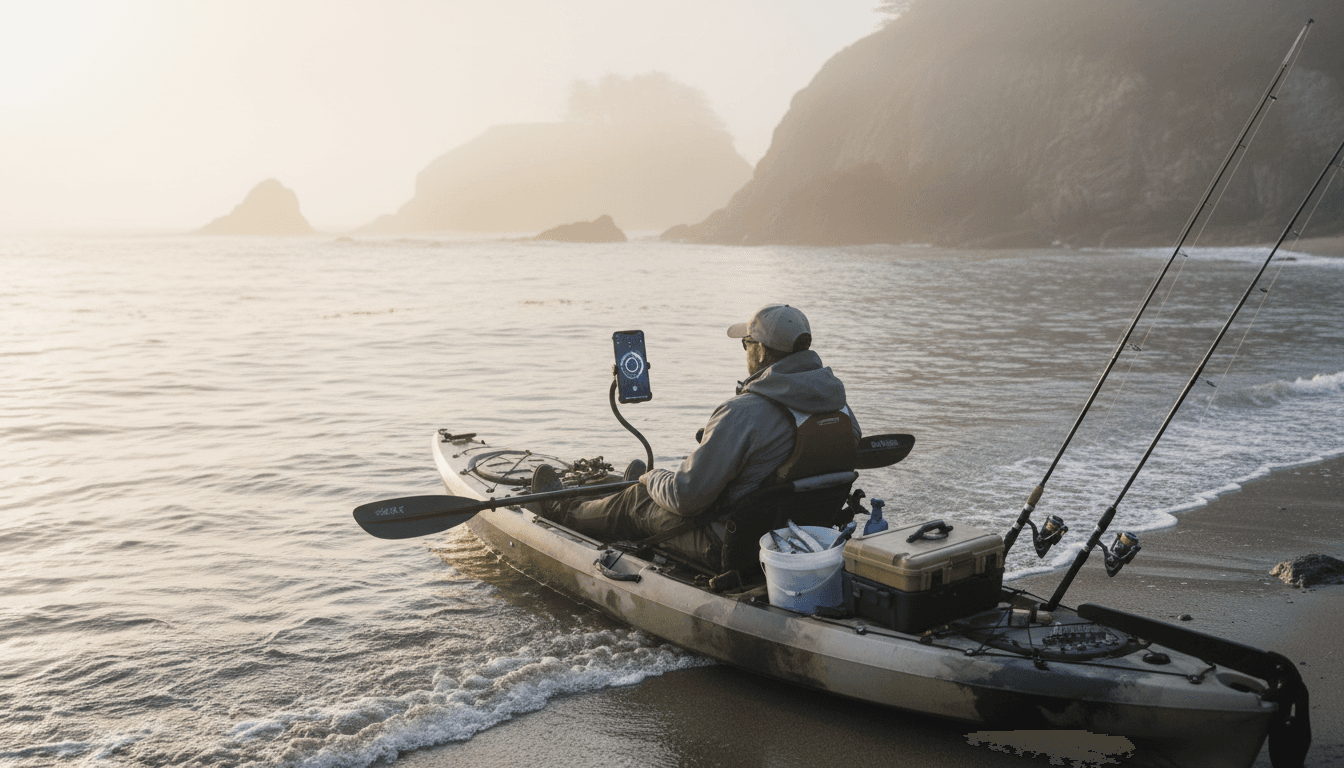
A California halibut doesn’t care about your confidence. It cares about tide, depth, bait, presentation, and timing—and getting any one of those wrong is enough to send you home “skunked.” That’s exactly why a Bay Area kayak angler, Adam Irino, did something that sounds ridiculous until you think about it: he asked ChatGPT for a halibut plan, followed it exactly, and landed three keepers the next day.
This story matters far beyond fishing. It’s a clean, real-world example of how AI tools are moving from “tech people productivity hacks” into everyday decisions—the kind that used to require a mentor, years of trial-and-error, or a stack of forums. For U.S. startups and digital service providers, it’s also a signal: the next wave of AI adoption won’t be limited to office workflows. It’ll show up wherever people need guidance, confidence, and a plan.
Why “fishing with AI” is a serious trend (not a gimmick)
AI is becoming the default interface for practical know-how. Fishing just makes the shift obvious.
Adam’s use case is simple: too many variables, not enough certainty. Even experienced anglers run into that wall. What ChatGPT did for him wasn’t magic; it was structured decision support—turning a messy problem into a sequence of actionable steps (what to use, where to try, how deep, and when).
That’s the broader theme in our series, How AI Is Powering Technology and Digital Services in the United States: AI is increasingly valuable as a “plan generator” for real-life tasks, not just a text generator.
The reality: most people don’t need “more information”
Beginners don’t fail because they can’t find advice. They fail because they can’t:
- Filter conflicting guidance n- Translate it into a plan they can execute
- Adjust when conditions change
- Stay safe while learning
A good AI assistant compresses that gap. It doesn’t replace expertise—it makes expertise usable.
What ChatGPT actually provided: a repeatable decision framework
The most interesting line from Adam’s experience wasn’t the pirate voice at a tackle shop. It was this: he was surprised by how detailed and accurate the guidance was, including baits, target depths, and tides.
That combination hints at what’s happening under the hood for everyday users: AI can act like a dynamic checklist plus a situational coach.
The “3-layer plan” that makes AI useful in the field
If you’re building AI features for a digital service—or you’re adopting AI internally—this is the pattern to copy:
- Baseline playbook: “What usually works?” (gear, setup, standard approach)
- Context adjustments: “Given my conditions, what changes?” (tide, time window, location constraints)
- Execution instructions: “Tell me exactly what to do next.” (step-by-step, in plain language)
Fishing is a perfect sandbox because feedback is immediate. No bites? Something’s off. That same feedback loop exists in digital services: no conversions, low retention, poor response rates—something in the plan needs adjusting.
Where “Advanced Voice Mode” fits in
Adam showed ChatGPT’s voice experience at Gus’ Discount Tackle, and the owner got an instant demo: conversational answers, natural pacing, and a tone that makes the tool approachable.
Voice isn’t a novelty. In practice, it’s a reduction in friction:
- Hands are busy (kayak, gear, phone stays pocketed)
- Cognitive load is high (conditions, safety, navigation)
- The user needs fast clarification (“What depth again?”)
For U.S. digital services, voice and conversational UI are often the difference between AI being “available” and AI being used.
What this means for U.S. startups and SaaS teams
If AI can help someone catch halibut, it can help your customers complete almost any complex “first-time” workflow.
A lot of SaaS products still assume users will read docs, watch a tutorial, then behave like a power user. That’s not how people work—especially in Q4 and the holiday crunch, when teams want outcomes fast and attention is scarce.
Here’s the stance I’ll take: “AI onboarding” should replace most onboarding. Not the security and compliance parts. The “how do I do the thing” parts.
Three unconventional AI use cases worth copying
Adam’s story maps cleanly to product opportunities in the U.S. market:
1) “First-timer copilots” for intimidating workflows
Think: bookkeeping setup, hiring flows, healthcare scheduling, insurance comparisons, or even migrating data between platforms.
A first-timer copilot should:
- Ask 5–10 smart intake questions
- Produce a plan the user can follow
- Provide safety checks (privacy, compliance, financial risk)
- Offer a quick “if this happens, do that” troubleshooting guide
2) Local knowledge assistants
Fishing advice is hyper-local: what works near Monterey isn’t identical to what works off Ocean Beach.
Local knowledge is a major business gap for service providers: regional rules, seasonal differences, and neighborhood-specific expectations. AI can help standardize the user experience while still feeling personal.
Examples:
- Home services: regional permitting basics and job scoping
- Retail: store-specific inventory alternatives and fit guidance
- Travel and recreation: seasonal planning and safety reminders
3) “Explain it like a friend” support that reduces tickets
The pirate voice is funny, but the real win is tone control. People stick with tools that feel patient.
For SaaS, that translates into:
- Fewer “how do I…” tickets
- Better activation (users reach the first success moment)
- Lower churn from frustration
AI support works best when it’s anchored to your product truth—your docs, your policies, your feature set—rather than generic internet answers.
How to prompt ChatGPT for practical, safe recommendations
Most companies get prompting wrong because they ask vague questions and get vague answers.
If you want AI to function like a capable guide (whether for fishing, operations, or customer workflows), structure the request like a brief.
A prompt template you can reuse (recreation or business)
Copy this format:
- Goal: What success looks like
- Constraints: Budget, time, tools, location, skill level
- Conditions: Anything that changes the plan (weather, deadlines, regulations)
- Output format: Checklist, step-by-step plan, decision tree
- Safety: Ask it to flag risks and “stop conditions”
Example (fishing-style, but adaptable):
“I’m a beginner. Goal: catch legal-sized halibut from a kayak. Constraints: 4-hour window, limited gear, calm water only. Conditions: incoming tide, water temp unknown. Give me a step-by-step plan with depths, bait options, and a safety checklist. If local regulations vary, tell me what to verify before I go.”
The safety point that shouldn’t be optional
Adam explicitly called out safety as part of the value. That’s a big deal.
AI can increase confidence—which can increase risk if users over-trust it. If you’re a startup building AI features, treat this as product design, not a disclaimer:
- Add verification steps (“confirm local regulations”)
- Provide conservative defaults
- Build in escalation (“talk to a human,” “consult a professional”)
- Log assumptions the plan relies on
The bigger shift: AI is turning hobbies into platforms
Adam isn’t just fishing. He’s running a media business—hundreds of hours of content, a niche community, and enough momentum to leave an office job.
AI accelerates that kind of creator-to-business path in the U.S. because it helps with:
- Planning (what to try next, where to go, what to film)
- Packaging (titles, scripts, story structure)
- Operations (scheduling, customer messages, sponsorship outreach)
The same dynamic is why so many U.S. startups are racing to embed AI into digital services: AI makes more people capable of producing professional-level outcomes, faster.
Here’s the one-liner that captures it:
AI doesn’t replace skill; it compresses the time it takes to act like you have it.
What to do next (if you’re a founder, marketer, or product lead)
If this post is part of your research for AI adoption, take the fishing lesson seriously: users don’t want a model. They want a plan.
Start with one workflow where customers regularly get stuck. Then build an AI experience that:
- Collects context (quick intake)
- Produces a specific plan (checklist + steps)
- Supports execution (follow-ups, troubleshooting)
- Improves with feedback (what worked, what didn’t)
If you’re exploring AI in your personal life, use the same approach: don’t ask for “tips.” Ask for a plan you can follow, plus what to verify for safety.
Where will the next wave of AI-powered digital services come from? Probably not from another “AI writing tool.” It’ll come from teams that pick a messy, real-world problem—like catching halibut—and design an assistant that turns uncertainty into action.