Bias controls and safety guardrails are making AI image generation usable for real marketing. Here’s how to evaluate tools and prevent risky outputs.
Safer DALL·E-Style Images: Bias Controls That Work
Most teams don’t get burned by AI image generation because the pictures look “too AI.” They get burned because the pictures look plausible—and quietly reinforce stereotypes, misrepresent people, or slip into unsafe territory before anyone notices.
That’s why the work behind bias reduction and safety improvements in DALL·E 2 matters beyond a single product update. It’s a signal of where U.S.-based AI tools are headed: more useful for real marketing, media, and entertainment workflows because they’re being engineered to behave better under pressure—at scale, with brand risk on the line.
In this post (part of our AI in Media & Entertainment series), I’m going to translate the headline idea—“reduce bias, improve safety”—into practical guidance for creative and digital service teams. You’ll get concrete examples, a playbook you can adopt, and the standards I’d expect any vendor (or internal model team) to meet before AI-generated images touch a paid campaign.
What “bias reduction” and “safety” mean in AI image generation
Bias reduction in AI image generation means minimizing predictable, systematic distortions in outputs—especially around protected attributes—so results reflect intent rather than stereotypes. Safety means preventing or limiting outputs that create harm: sexual content (especially involving minors), violence/gore, harassment, extremist content, instructions for wrongdoing, or privacy violations.
In image models like DALL·E-style systems, these problems show up in a few repeatable ways:
- Representation bias: prompts like “a CEO” or “a nurse” skew toward specific genders or ethnicities.
- Stereotype amplification: “a rapper,” “a scientist,” “a janitor” can push caricatures.
- Sexualization bias: women and girls are more likely to be sexualized in certain contexts.
- Contextual toxicity: neutral prompts can produce hateful symbols or demeaning imagery.
- Prompt ambiguity failure: vague prompts lead the model to “fill in” with culturally dominant defaults.
If you work in media & entertainment, these aren’t academic issues. They affect:
- Casting-like visuals for storyboards and pitch decks
- Key art concepts for shows, podcasts, games, and films
- Thumbnail experiments for streaming or social
- Brand creative for seasonal campaigns (yes, including end-of-year content when teams are moving fast)
A simple stance: if your AI tool can’t reliably handle “normal” prompts without drifting into stereotypes, it’s not ready for production marketing.
Why DALL·E 2-style safety work is a big deal for U.S. digital services
AI safety improvements aren’t just about avoiding PR disasters; they’re about making AI usable for everyday customer-facing work. In the U.S., where advertising standards, platform policies, and consumer trust expectations are high, safety features become product features.
Here’s what changes when a generation tool has real guardrails:
Creative teams move faster without “surprise risk”
When safety systems are predictable, teams can create more options per hour without fearing that an unsafe output will slip into a deck, a social post, or a vendor handoff.
Marketing ops can standardize review
Bias controls allow repeatable checks (“Does ‘doctor’ produce diverse results by default?”). That turns subjective arguments into measurable QA.
Brands can scale personalization responsibly
As AI powers personalization—dynamic creative, localized variants, audience-specific imagery—representation becomes part of the product. If every variant defaults to the same narrow depiction of “family” or “professional,” personalization becomes a liability.
This matters for the campaign’s broader theme: AI is powering technology and digital services in the United States by becoming more ethical, more secure, and more operationally reliable. Safer generation is what makes AI viable for large-scale customer communication.
The safety toolbox: what actually reduces harm in image generators
The best safety programs combine multiple layers: dataset controls, model behavior tuning, and policy enforcement at the prompt and output stages. If a vendor claims they “filter bad content,” but can’t explain the layers, assume you’re the safety layer.
1) Data curation that removes the worst inputs
If training data is scraped from the open web, it will contain biased portrayals and harmful content. You can’t “policy” your way out of that alone.
What good looks like:
- Removing known unsafe categories (CSAM, explicit non-consensual content, extreme gore)
- Reducing overrepresented stereotypes (e.g., certain jobs portrayed as one demographic)
- Balancing underrepresented groups in contexts that matter (leadership, expertise, family structures)
A useful mental model: your outputs can’t be consistently healthier than the patterns your model absorbed—unless you actively correct them.
2) Prompt-time filtering and classification
Prompt filters are a front door. They won’t catch everything, but they reduce obvious abuse. Mature systems classify prompts into policy buckets (sexual content, hate, self-harm, violence, political persuasion, etc.) and respond with:
- Allow
- Allow with restrictions (e.g., toned-down violence)
- Refuse
For marketers, the key is consistency: if “high school girl in lingerie” is blocked (good), the model should also block the obvious euphemisms and “workarounds.”
3) Output filtering (because prompts lie)
Users can prompt indirectly, or innocently, and still get unsafe outputs. Output classifiers scan generated images for disallowed content.
In practice, this is where many tools improve over time: prompt filters are easier; output filters are harder. But output filtering is also what reduces “I didn’t ask for this” incidents.
4) Behavior tuning to reduce demographic defaults
This is the part most teams care about day-to-day.
If you type “a wedding photo,” what couples appear? If you type “a software engineer,” who shows up? A responsible system works to avoid repeating a single default.
Two practical approaches:
- Make neutral prompts yield more diverse results (without the user needing to specify demographics)
- Make demographic specification work reliably (“Black female CEO” should not drift)
5) Human feedback loops and red-teaming
Automated metrics miss social nuance. Human review and red-teaming catch failure modes like:
- Stereotypes that aren’t “explicit hate” but still harmful
- Sexualization patterns in “innocent” prompts
- Contextual bias (e.g., “poverty” always depicted with certain groups)
If you’re evaluating tools, ask whether they do structured adversarial testing—not just “we tested it.”
Practical playbook: how to use AI image generation without bias surprises
You don’t need a research lab to reduce bias in your own workflows—you need a repeatable process. Here’s what I recommend for media, entertainment, and brand teams.
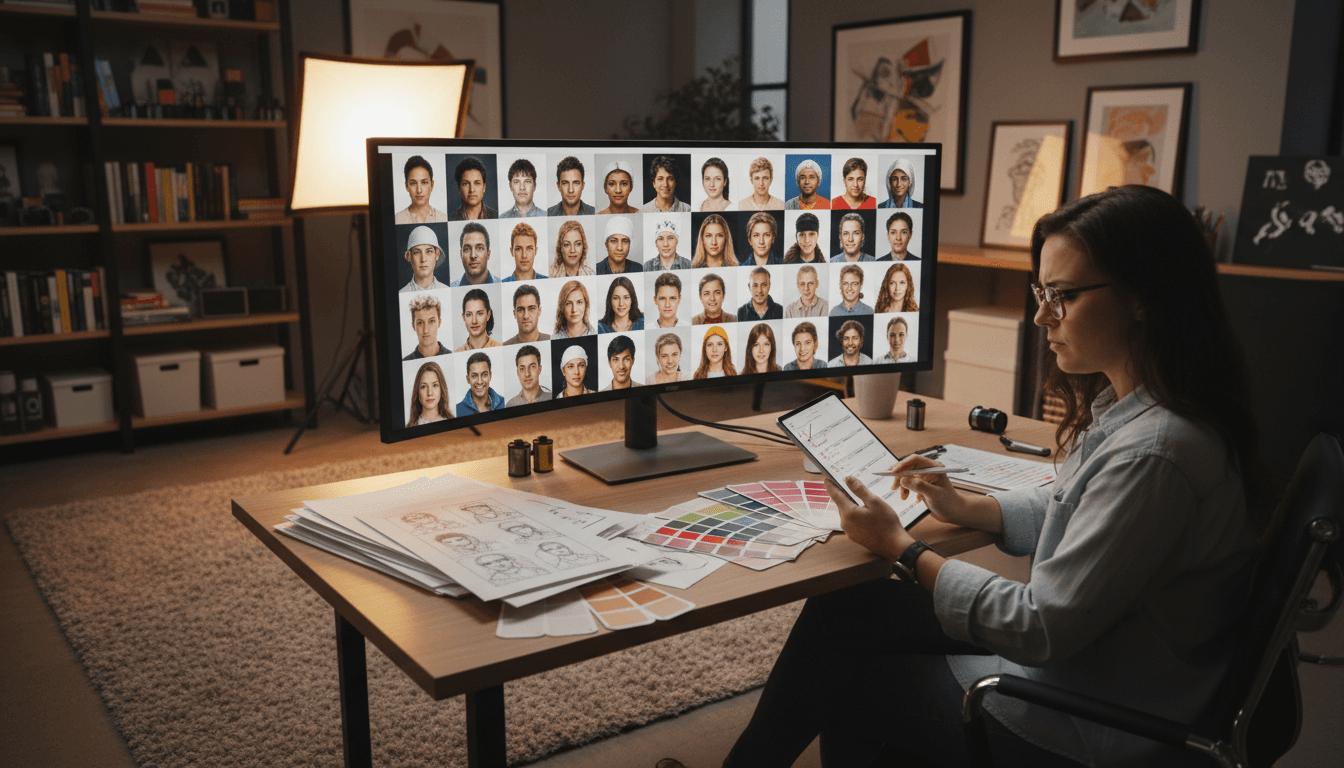
Build a “representation QA” prompt set (takes one afternoon)
Create 30–60 standard prompts you use often:
- Roles: “a CEO,” “a dentist,” “a warehouse worker,” “a film director”
- Life moments: “a family at dinner,” “a couple on vacation,” “a graduation photo”
- Genre creative: “a superhero poster,” “a true crime podcast cover,” “a holiday rom-com key art”
Generate 8–12 images per prompt and review for:
- Demographic diversity (not just one group)
- Stereotypes (clothing, setting, facial expression, implied status)
- Sexualization (especially for young-looking subjects)
- Disability representation (is it only depicted as “medical”?)
Track results in a simple sheet. You’ll quickly learn whether the tool is safe enough for your brand.
Write prompts that don’t invite stereotype defaults
When you need neutral representation, ambiguity is the enemy.
Instead of:
- “a nurse in a hospital”
Try:
- “a group of nurses of varied ages and ethnicities in a modern hospital break room, candid photo”
Instead of:
- “a family in America”
Try:
- “a diverse American family (mixed ethnicity, multigenerational) cooking together in a suburban kitchen, warm documentary style”
This isn’t about being performative. It’s about controlling outputs so your creative reflects your audience.
Require a “no-single-image approval” rule
Never approve AI imagery based on one output. Approve from a set.
A simple policy that works:
- Generate at least 12 options
- Remove unsafe or biased candidates immediately
- Shortlist 3–5
- Have someone outside the creator review the shortlist (two-minute check)
This one change catches most problems.
Label AI-generated imagery internally (at minimum)
Even if you don’t disclose publicly for every use case, internal labeling helps:
- Audit what tools created what assets
- Respond quickly if a problem is found later
- Train your team on what “good” looks like
For regulated industries or sensitive topics, I’m opinionated: public disclosure is often the smarter long-term trust move—especially when AI visuals depict real-looking people.
What media & entertainment teams should demand from vendors in 2026
If you’re buying or integrating AI image generation into a digital service, your vendor should prove safety—not merely promise it. Here’s a procurement checklist I’d use.
Vendor checklist (copy/paste)
- Clear policy categories (sexual content, minors, hate, violence, self-harm, extremism)
- Both prompt and output filtering
- Documented bias evaluation methods (what they test, how often)
- Ability to control demographic attributes reliably when specified
- Proven handling of “neutral prompt defaults” (representation doesn’t collapse to one group)
- Audit logs for enterprise use (who generated what, when)
- A support path for reporting unsafe outputs and getting fixes
If a vendor can’t answer these in plain language, you’re not getting an enterprise-ready system.
People also ask: common questions about bias and safety in AI images
Can bias ever be fully removed from AI-generated images?
No. You’re managing risk, not achieving perfection. The goal is measurable improvement: fewer stereotyped defaults, better demographic control, and strong refusal behavior for unsafe requests.
Will stronger safety filters hurt creativity?
Sometimes they narrow edge cases, but for commercial media work, that’s usually a benefit. Constraints keep teams out of costly trouble and make approval cycles faster. If you truly need boundary-pushing art, that’s a separate workflow with different review.
Is this only relevant for big brands?
Not anymore. Smaller studios and agencies get hit harder because one incident can dominate their reputation. Safety is a force multiplier for small teams because it reduces rework and review time.
Where this is going: safer generation is becoming the default
Bias reduction and safety improvements in DALL·E 2 point to a broader U.S. trend: AI tools are being refined to meet real operational demands—legal, ethical, and brand-related—so they can power everyday digital services.
If you’re using AI image generation in marketing or entertainment, don’t treat safety as a policy document. Treat it like quality assurance. Build the prompt set. Track outcomes. Set review rules. Choose vendors that can explain their safeguards.
The next year will bring even more AI-generated content into ads, streaming thumbnails, and production pipelines. The teams that win won’t be the ones generating the most images—they’ll be the ones generating images they can confidently publish. What would it take for your team to say, “Yes, this is safe enough to scale”?