Build cost-effective HyFlex classrooms by simplifying AV, standardizing room kits, and focusing on outcomes. Expand access to skills training without exploding support costs.
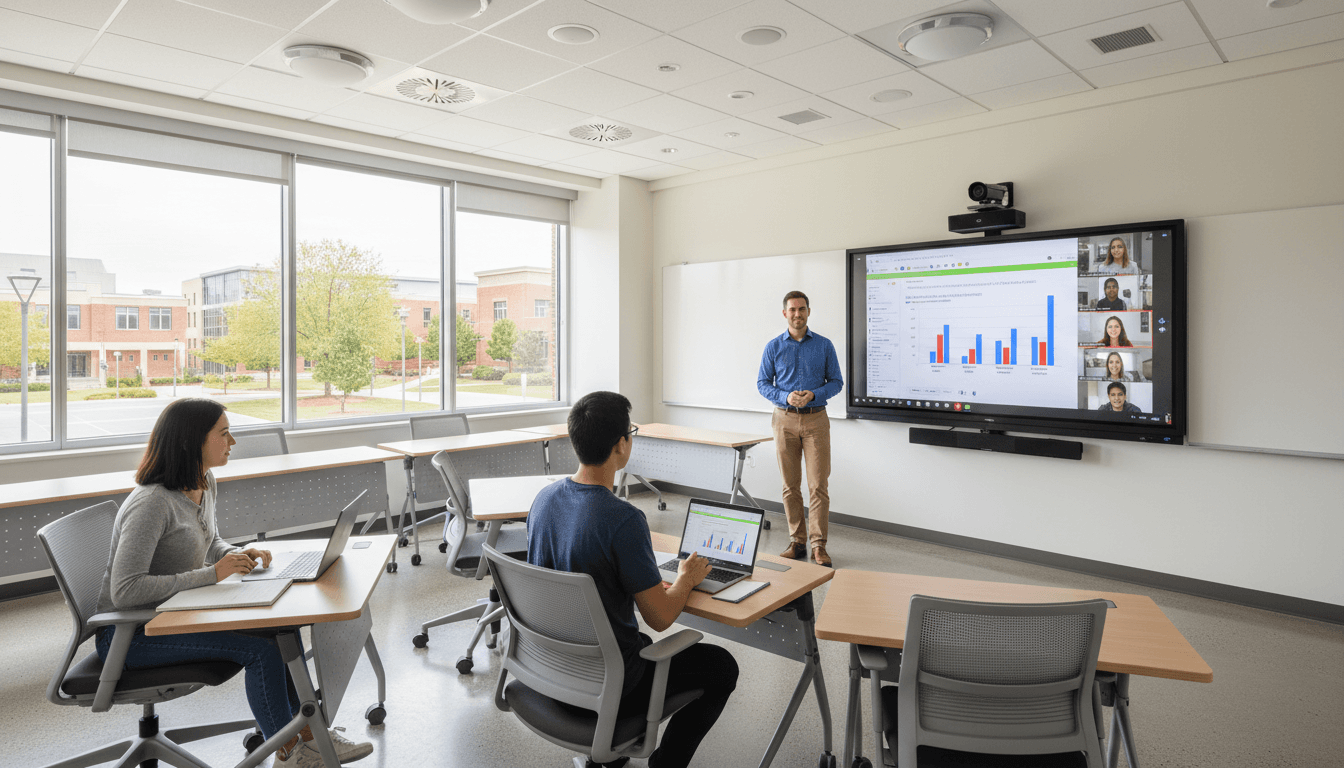
Cost-Effective HyFlex Classrooms That Actually Work
Enrollment pressure hasn’t eased up, and neither has the expectation that learning should fit around work schedules, caregiving, commutes, and internships. The old assumption—full classrooms equal a healthy institution—is still floating around. But for education, skills, and workforce development programs, that mindset is expensive. It pushes leaders to prioritize seat time over outcomes.
Here’s the more useful truth: HyFlex learning can be a cost optimization strategy when it’s designed like an operating model, not a shiny AV project. When you standardize the right baseline kit, reduce room complexity, and manage spaces remotely, HyFlex stops being “the hybrid tax” and starts behaving like a scalable delivery system for skills training.
This post sits in our Education, Skills, and Workforce Development series for a reason. Skills shortages aren’t solved by one more program brochure. They’re solved when training is accessible, consistent, and affordable to run—semester after semester.
HyFlex cost optimization starts with a simpler goal
The fastest way to waste money on HyFlex is trying to recreate a broadcast studio in every room. The real goal is simpler: make the in-room experience and the remote experience equitable enough that learners can switch modes without falling behind.
When teams overspec the room—multiple controllers, custom programming, fragile signal chains—they buy three hidden costs:
- Support costs: More tickets, more “it worked yesterday” failures, more downtime.
- Training costs: Faculty need room-specific instructions, not transferable habits.
- Lifecycle costs: Custom integrations are harder to refresh and harder to standardize.
HyFlex becomes cost-effective when you commit to repeatable classroom patterns: a small number of room types, a predictable set of components, and the ability to manage and update them without a tech running across campus.
A practical definition for budget planning
A cost-effective HyFlex classroom is one where:
- The instructor can start class in under 60 seconds.
- Remote learners can clearly hear discussion and see shared content.
- IT can monitor health and push updates centrally.
- The room uses standard components that can be swapped without rewiring the building.
If a design doesn’t hit those four points, you’re not optimizing. You’re accumulating complexity.
Replace projector-era thinking with interactive flat panels
Interactive flat panels are often the highest-impact “stop paying the projector tax” move. Projector-based rooms weren’t built for HyFlex. They were built for a single direction of instruction: instructor presents, students watch.
In a HyFlex environment, the display isn’t just for students in seats. It’s part of the remote meeting. And that changes the economics.
Why panels can reduce both capex and opex
A projector setup can require:
- Mounting and alignment
- Cabling runs and extenders
- Room control programming
- Ongoing lamp/maintenance cycles
- Troubleshooting for signal and scaling issues
By contrast, flat panels tend to be closer to plug-and-play, with fewer points of failure and less custom programming. That matters because the most expensive part of classroom technology is rarely the hardware—it’s the operational drag.
Here’s what I’ve seen work well: treat the panel like a reliable, standardized endpoint. The more your rooms behave like “appliance classrooms,” the more you can forecast costs and reduce emergency support.
Make the remote view native, not an afterthought
Pointing a webcam at a projected screen is the classic workaround—and it’s also a classic learner complaint. The camera exposure blooms, small text is unreadable, and remote learners feel like second-class attendees.
With modern panels, content can be shared cleanly into the video meeting, so remote participants see what the in-room group sees. That’s not a luxury. It’s retention protection.
For workforce development programs, that retention angle is huge: when learners drop because sessions are frustrating, your cost per completer spikes.
Standardize the room kit to cut complexity (and support tickets)
Standardization is the quiet hero of HyFlex ROI. If your institution has 40 “unique” classrooms, you don’t have 40 classrooms—you have 40 one-off products.
A better approach is to create 3–5 room archetypes and stick to them:
- Small seminar / skills lab
- Mid-size classroom
- Large lecture / auditorium
- Computer lab (if needed)
- Specialty spaces (kept intentionally limited)
What belongs in a cost-effective HyFlex baseline kit
You don’t need everything. You need the right few things.
A baseline HyFlex room that tends to scale well includes:
- A reliable display (often an LCD panel or interactive flat panel)
- A purpose-built camera with sensible framing and consistent performance
- Room microphones chosen for the room size (ceiling, table, or array mic)
- A standard compute or conferencing endpoint (so rooms behave consistently)
- Remote management capability for monitoring and updates
Notice what’s missing: custom controllers, one-off switching logic, and complicated “if this then that” scenes that only two people on campus understand.
“Reducing costs reduces complexity” is operationally true
There’s a direct cause-and-effect relationship here:
- More moving parts → more failure points → more class disruption
- More unique configurations → more training burden → more user error
- More on-site fixes → more labor cost → slower response times
Most IT teams in higher ed and training organizations are stretched thin. So are instructional designers. If HyFlex adds daily friction, it won’t scale. Faculty will avoid the rooms, learners will complain, and leadership will label the whole approach “too expensive.”
Design HyFlex for workforce development outcomes, not seat time
HyFlex matters in workforce development because it expands access without doubling delivery costs. That’s the heart of the skills transformation story: employers need talent faster, and learners need flexible pathways that fit real life.
A cost-optimized HyFlex model supports:
- Working adults who can’t reliably attend on campus
- Career changers balancing interviews and short-term gigs
- Rural learners facing long commutes and limited transit
- Employer-sponsored cohorts that mix on-site and remote participants
Example scenario: one instructor, two modalities, one standard room
Consider a 12-week IT support certificate program:
- Cohort A meets on campus twice a week.
- Cohort B attends remotely because their employer is 90 minutes away.
- Some learners switch week-to-week based on shift schedules.
Without HyFlex, you either:
- Run separate sections (higher labor cost), or
- Force a single modality (lower access and lower enrollment)
With a standardized HyFlex room kit and consistent delivery practices, you keep one instructor, one schedule, and one learning design—while serving more learners. That’s a real cost optimization lever.
Budget planning: calculate total cost of ownership the right way
If you only price hardware, you’ll under-budget HyFlex and overpay later. HyFlex is an operating system. Treat it that way.
Here’s a practical TCO checklist I recommend for education and training leaders:
Direct costs (what finance expects)
- Hardware per room (display, camera, microphones, mounts)
- Installation labor
- Licensing (conferencing platform, device management)
- Warranty or replacement plans
Indirect costs (what breaks budgets)
- Faculty training time (and re-training when rooms differ)
- IT support hours per week
- Downtime cost (missed instruction time)
- Refresh cycles (3–7 years, depending on component)
The metric that keeps everyone honest
Track cost per learner successfully completing the course or credential.
That one number forces the right conversations:
- If the HyFlex experience is poor, completion drops and cost per completer rises.
- If the room is too complex, support costs rise and cost per completer rises.
- If the room is standardized and reliable, completion holds and costs stabilize.
A 90-day plan to modernize HyFlex without overspending
You can move quickly without buying a campus-wide overhaul. A phased plan reduces risk and builds internal confidence.
Days 1–30: Audit and choose room archetypes
- Inventory current rooms (display type, audio, camera, compute, network reliability)
- Identify your top 10 “high-usage” teaching spaces
- Select 3–5 room archetypes and define the baseline kit for each
- Agree on success metrics: start-up time, audio clarity, remote visibility, support tickets
Days 31–60: Pilot and standardize training
- Upgrade 2–4 rooms across different archetypes
- Create a one-page “how to start class” guide that works in every pilot room
- Run short faculty walk-throughs (15 minutes, not an hour)
- Collect learner feedback after the first two weeks (remote and in-person)
Days 61–90: Lock the standard and scale procurement
- Finalize the baseline kit based on pilot results
- Establish a procurement standard (approved models + substitutions)
- Set up remote monitoring and a simple escalation process
- Plan the next wave of rooms based on utilization, not politics
This approach protects budgets because it limits rework. Rework is where HyFlex projects go to die.
The real payoff: scalable skills training with fewer tradeoffs
Cost optimization for HyFlex learning environments isn’t about buying the cheapest gear. It’s about building a delivery model that your staff can support, your faculty can use confidently, and your learners can trust.
For workforce development programs, that trust translates into enrollment resilience and completion rates—two things you can’t afford to gamble with when skills gaps are already straining local employers.
If you’re planning HyFlex upgrades for 2026, take a hard stance: standardize, simplify, and design for operations. You’ll spend less time troubleshooting and more time expanding access to skills training.
Where could HyFlex remove the most friction in your programs right now—commutes, scheduling, or inconsistent classroom technology?