Automate Facebook Messenger with 9 AI workflows that speed replies, capture leads, and route support—built for lean US small businesses.
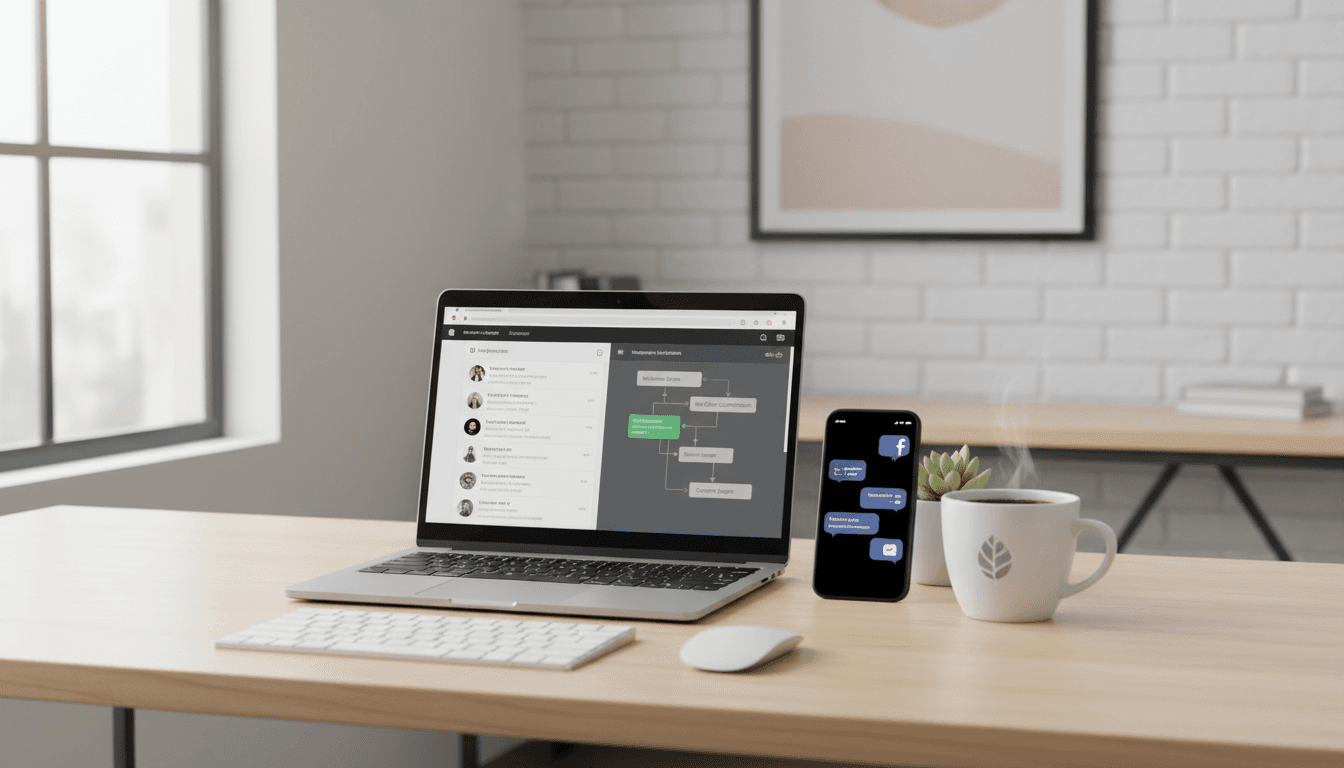
Automate Facebook Messenger: 9 AI Workflows for SMBs
Most small businesses don’t lose leads because their offer is bad. They lose leads because they reply too late.
Facebook Messenger is one of those “hidden” revenue channels—people message when they’re close to buying, when they’re stuck, or when they need a quick answer before they commit. The problem is timing: if you’re running lean (and most US small businesses are), you can’t camp inside Messenger all day.
The fix isn’t hiring a full-time social rep. It’s Facebook Messenger automation—and, increasingly, AI-powered customer messaging that keeps conversations moving, routes requests to the right place, and turns chats into trackable leads. In this post (part of our US Small Business Marketing Automation series), I’ll walk through nine practical workflows you can set up with tools like Zapier to save time and protect revenue.
Set the baseline: what “good” Messenger automation looks like
Good Messenger automation does three things: responds fast, captures intent, and creates a paper trail. If your automations don’t do all three, you’ll still be guessing which conversations became customers.
Here’s the standard I use:
- Speed: An instant acknowledgement within seconds, even if a human reply comes later.
- Routing: Sales questions go to sales, support issues go to support, spam goes nowhere.
- Logging: Every meaningful conversation becomes a CRM record, ticket, or task.
Snippet-worthy rule: If a Messenger conversation doesn’t end up in your CRM or help desk, it didn’t happen (from an operations standpoint).
Now let’s turn that standard into workflows.
1) Instant “we got your message” replies (without sounding robotic)
The fastest win is an auto-reply that buys you time and sets expectations. This protects you from the silent-gap problem—where a prospect assumes you’re unavailable and moves on.
What to automate
- Trigger: New message to your Facebook Page
- Action: Send an immediate reply from your Page
What to say (copy/paste templates)
Keep it short, specific, and helpful:
- Sales/service businesses: “Thanks for reaching out—got it. We reply within 1 business hour. If you want faster help, share your zip code + what you’re looking for.”
- Local appointments: “Got your message. If you’re trying to book, send your preferred day/time and we’ll confirm ASAP.”
- Ecommerce: “Thanks—order questions get priority. If this is about an order, send your order number.”
This matters because automation isn’t just speed—it’s reducing back-and-forth by asking for the missing info upfront.
2) Use AI to draft personalized replies (with a safety net)
AI is ideal for first drafts, not final authority. For small businesses, the goal is to respond fast while keeping brand voice consistent.
What to automate
- Trigger: New Facebook message
- Action: Generate a suggested reply using an AI step (ChatGPT or Gemini)
- Optional: Human approval before sending (recommended for anything complex)
A practical AI prompt pattern
Use a structured prompt so replies don’t wander:
- “Write a friendly reply in 2–4 sentences.”
- “Answer the question if possible from these rules: [your policies].”
- “If you need more info, ask exactly 1 question.”
- “If the user is angry, apologize and offer a concrete next step.”
Where I draw the line
Use human review for:
- Refund disputes
- Medical/legal/financial guidance
- Anything involving customer data
If you want AI marketing tools for small business to actually help (not create risk), human-in-the-loop approval is the difference.
3) Send Messenger messages to Slack (so they get seen)
If your team lives in Slack, Messenger shouldn’t be a separate inbox. Routing chats into the place your team already watches is the easiest way to cut response time.
What to automate
- Trigger: New Facebook message
- Action: Post in a Slack channel or DM the right person
How to organize the channel
I’ve found these conventions work:
#inbox-socialfor all new messages- Use a simple reaction system (✅ handled, 👀 in progress)
- Pin a short “tone guide” so replies don’t vary wildly by staff member
For lead-gen pages, you can go further: automatically tag teammates based on keywords like “pricing,” “quote,” “availability,” or “wholesale.”
4) Email alerts when Messenger is your “to-do list”
Email-based Messenger automation is underrated—especially for owner-operators. If you’re in Gmail/Outlook all day, it’s a clean way to avoid missed requests.
What to automate
- Trigger: New Facebook message
- Action: Send an email summary to you (or a shared inbox)
Make the email actionable
Include:
- Sender name
- Message preview
- A category label (Sales / Support / Spam)
- A “reply by” reminder (for example: within 60 minutes during business hours)
This creates a simple queue without adding yet another tool.
5) Text or push notifications for high-intent messages
SMS/push is for the messages that should interrupt you. Not all chats deserve a ping to your phone—so build rules.
What to automate
- Trigger: New Facebook message
- Filter: Contains high-intent phrases (example: “ready to book,” “need today,” “price,” “can you come out”)
- Action: Send SMS or push notification
A strong default rule
Only alert your phone if:
- It’s within business hours, and
- It contains a buying signal, and
- It’s not from a repeat spammer
If you skip filters, you’ll train yourself to ignore the notifications. That defeats the point.
6) Log every message in a Google Sheet or Airtable (for visibility)
If you can’t measure it, you can’t improve it. A simple table gives you a lightweight way to track:
- response time
- common questions
- lead volume by week
- outcomes (booked, resolved, no reply)
What to automate
- Trigger: New Facebook message
- Action: Create a new row/record in Google Sheets or Airtable
Columns that actually matter
- Date/time
- Customer name/handle
- Message topic (auto-tag with AI or keyword rules)
- Owner (who should reply)
- Status (New / Waiting / Done)
- Revenue impact (High/Medium/Low)
This is classic small business marketing automation: keep it simple, make it visible, and let the system do the remembering.
7) Turn Messenger chats into CRM leads (stop losing “social leads”)
Messenger is often a bottom-of-funnel channel—treat it like one. When someone messages your business page, that’s frequently stronger intent than a random website visit.
What to automate
- Trigger: New Facebook message
- Action: Create or update a contact/lead in your CRM (HubSpot, Zoho, Salesforce, Odoo, etc.)
Lead qualification you can automate
You don’t need a complicated scoring model. Start with three tags:
- Hot: asks for pricing, availability, timeline
- Warm: asks about features, services, “how does this work?”
- Support: already a customer; needs help
Then route:
- Hot → sales follow-up queue
- Warm → nurture sequence or a quick clarifying question
- Support → help desk (next section)
Snippet-worthy line: If you’re answering Messenger questions but not creating CRM records, you’re doing sales without a pipeline.
8) Convert support messages into help desk tickets (with filtering)
Support teams miss Messenger because it’s not where tickets live. When you connect Messenger to Zendesk, Freshdesk, Help Scout, or Jira, you get consistent tracking and reporting.
What to automate
- Trigger: New Facebook message
- Filter: Only “support” messages (keywords like “broken,” “refund,” “can’t log in,” “not working”)
- Action: Create a ticket/conversation/issue
Why filtering matters
Without filters, you’ll flood your support tool with:
- “Are you open?”
- “What’s the price?”
- spam links
A clean rule set keeps your ticketing system credible. And credibility is what gets teams to use it.
9) Automate order, booking, and shipping confirmations via Messenger
Post-purchase Messenger messages reduce anxiety and cut “where is my order?” tickets. They also keep your brand present in a channel customers check constantly.
What to automate
Depending on your business type:
- Ecommerce: When a Shopify/WooCommerce order is paid → send a Messenger confirmation
- Shipping: When an order ships (ex: DHL) → send tracking/ETA info
- Appointments: When a Calendly booking happens → confirm details and next steps
What to include
- Order/booking confirmation
- What happens next (timeframes)
- One self-serve link alternative (if you have it)
- A simple escalation path (“Reply ‘HELP’ if something’s wrong”)
This is customer experience automation that actually pays for itself because it reduces inbound support load.
A simple build plan (so you don’t try to automate everything at once)
Most companies get this wrong by attempting a full chatbot overhaul on day one. A better approach is a 3-stage rollout.
Stage 1 (Day 1): Protect response time
- Auto-acknowledgement
- Slack/email alert
Stage 2 (Week 1): Create the system of record
- Log to Sheets/Airtable
- Create/update CRM contacts
Stage 3 (Weeks 2–3): Add AI + routing
- AI drafted replies with human approval
- Support ticket creation with filters
- Confirmation messages for orders/bookings
If you do it in this order, you’ll feel the impact quickly—and you’ll avoid building an “AI layer” on top of a messy process.
Common questions small businesses ask about Messenger automation
Will auto-replies hurt conversions?
No—silence hurts conversions. A short acknowledgement with a realistic response-time promise is almost always better than nothing.
Should I let AI reply automatically?
For simple FAQs, yes. For anything that can escalate (refunds, account access, sensitive details), use human approval.
What’s the minimum tool stack?
You can do a lot with:
- Facebook Messenger
- Zapier (to connect apps)
- A shared inbox destination (Slack or email)
- A basic CRM or spreadsheet
Your next step: pick one workflow and ship it this week
Facebook Messenger automation works because it’s boring in the best way: it handles the repetitive stuff so your team can focus on real conversations.
If you’re following our US Small Business Marketing Automation series, think of this as your “social inbox foundation.” Once your Messenger is routed, logged, and (optionally) AI-assisted, you’ll have cleaner lead tracking and faster service—without adding headcount.
Start with the auto-acknowledgement + routing. Then add lead capture. Then add AI.
What would change in your business if every Messenger inquiry got a helpful response in under 60 seconds—and every serious conversation automatically became a lead or ticket?