A leaked iOS 26 build reveals Apple’s AI-first roadmap through 2027. Here’s how it could reshape your workflow and why it matters for productivity.
Most companies obsess over the next product launch. Apple is already sketching out 2027.
An internal iOS 26 build, found on a prototype iPhone, quietly exposed Apple’s hardware and software roadmap for the next few years — from foldable iPhones and M6 Macs to a rebuilt, AI-first Siri. For anyone who cares about work, productivity, and where AI is headed on Apple devices, this matters a lot more than “new colors” or slightly better cameras.
Here’s the thing about this leak: it isn’t just about gadgets. It’s a preview of how Apple plans to turn every device you own into an AI assistant for your day-to-day work.
This article breaks down what the leaked iOS 26 build reveals, what it means for the future of AI-powered productivity on Apple hardware, and how you can start planning workflows around where the platform is clearly heading.
1. The iOS 26 leak in plain English: a roadmap for your next work setup
The leaked internal build of iOS 26 isn’t a marketing slide. It’s engineering reality — feature flags, device codenames, and timelines stretching through 2027.
In that code, researchers found references to:
- Foldable iPhone work continuing
- Future phone lines like iPhone 17e and iPhone 18 Pro
- Second‑gen AirTag and new home devices
- Updated Apple TV and HomePod mini
- New Macs running M5 and M6 chips
- A lower‑cost MacBook using an A‑series chip
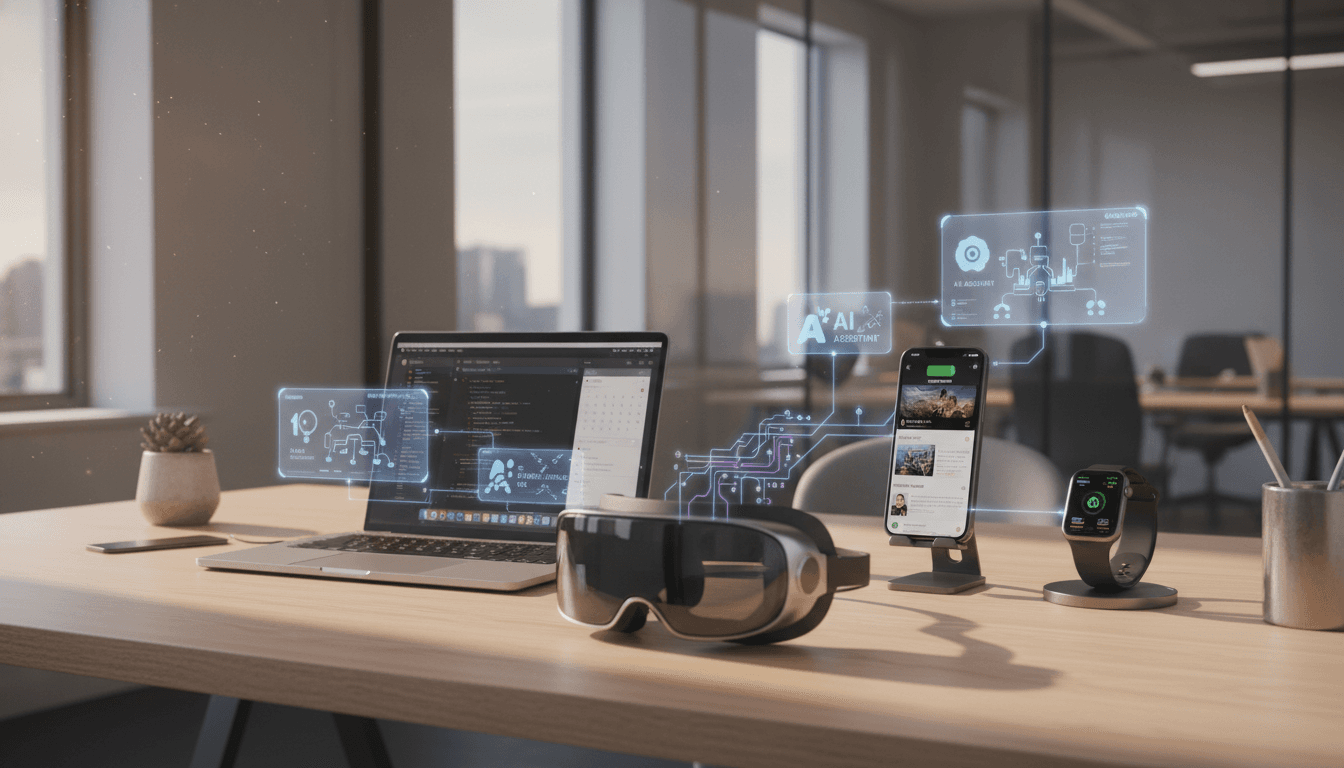
- New Vision headsets, a lighter “Vision Air,” and AI‑assisted smart glasses
- Multiple waves of Siri and app upgrades mapped to iOS 26, 26.4, 27, and beyond
The reality? Apple isn’t just iterating. It’s building a layered ecosystem of AI‑enabled devices that all feed into a single goal: make your daily work feel less manual and more “handled in the background.”
For people who live in productivity tools — knowledge workers, founders, designers, developers — this is effectively a roadmap for your future workspace.
2. Hardware through 2027: the AI‑ready Apple lineup
The leak doesn’t show glossy marketing, but it does reveal one clear trend: more devices, all tuned to run heavier intelligence locally.
Foldable iPhone and future models: more screen, more multitasking
Ongoing work on a foldable iPhone plus references to iPhone 17e and iPhone 18 Pro signal where Apple is headed:
- Foldable form factor: Think dual‑pane multitasking — email on one side, notes or reference docs on the other — without jumping between apps.
- Pro‑tier hardware: Higher‑end models almost certainly ship with more AI‑capable silicon and memory, which matters for on‑device models that summarize, classify, and suggest actions while you work.
For productivity, a foldable iPhone could behave less like a phone and more like a pocket‑sized iPad Mini with smart automation: meeting notes on one panel, live transcription plus action‑item extraction on the other.
Macs with M5 and M6: AI workloads become normal
The internal identifiers for Macs powered by M5 and M6 chips — across MacBook Air, MacBook Pro, Mac mini, and Mac Studio — point to one direction: more local compute for AI.
Here’s why that matters for work:
- On‑device AI becomes default: Summarizing huge PDFs, running code assistants, or doing real‑time transcription won’t feel like “heavy” tasks anymore.
- Privacy + speed: More tasks stay on your machine instead of bouncing to the cloud, which is critical for teams dealing with confidential data.
- Consistent AI across devices: If your Mac and iPhone share similar AI stacks, handoff between them gets smoother — draft on your phone, refine on your Mac, with context preserved.
I’ve found that when AI tools are actually fast, you use them constantly. Slow AI is a novelty. Fast AI becomes part of your workflow.
Lower‑cost A‑series MacBook: AI productivity for everyone
The leak’s mention of a lower‑cost MacBook using an A‑series chip is a big tell: Apple wants an entry‑level laptop that feels more like a scaled‑up iPad under the hood.
For teams, this could mean:
- A standardized, affordable “AI‑ready” machine for interns, students, or non‑technical staff
- Great battery life plus enough on‑device intelligence for basic content creation, note‑taking, and admin work
If you’re planning device refreshes for 2026, this could be the workhorse you deploy widely, while keeping M‑series machines for power users.
Vision headsets and smart glasses: from novelty to productivity gear
References to new Vision headsets, a lighter “Vision Air” model, future Apple Watch versions, and AI‑powered smart glasses show Apple’s mixed reality story is just starting.
Expect:
- Lighter hardware that’s wearable for a full workday
- Context‑aware overlays: calendars, tasks, call notes visible while you’re in a meeting or on site
- Hands‑free actions driven by Siri and on‑device AI
For creators, this could mean editing, whiteboarding, or designing in 3D spaces. For field workers, it’s instructions, checklists, and diagnostics floating in view. The key from a productivity angle: your workspace isn’t limited to a rectangle anymore.
3. Siri’s AI rebuild: from “set a timer” to real assistant
The leak confirms what everyone has suspected: Siri is being rebuilt around deeper system intelligence and tighter integration with Spotlight.
Multiple internal references point to:
- More natural, back‑and‑forth conversations
- Stronger understanding of user intent
- A rollout mapped to iOS 26.4, likely around spring 2026, not day‑one iOS 26
What this means for everyday work
If Apple pulls this off, Siri becomes less of a voice remote and more of a work partner that actually understands context, such as:
- “Summarize yesterday’s notes and turn them into three follow‑up tasks.”
- “Find the latest proposal I sent to Alex and draft a shorter version for a Slack update.”
- “Block 45 minutes this week to work on the Q2 report and group it near my existing focus time.”
The crucial piece here is deep OS integration. Because Siri sits inside the operating system, it can coordinate:
- Files and folders
- Email, calendar, reminders
- Messages and calls
- Third‑party apps that tie into SiriKit and Shortcuts
Most AI tools today are powerful but siloed. Apple is clearly betting on intelligence that’s not another app, but the logic layer of the whole system.
4. Health, payments, and core apps: small tweaks, big productivity gains
The flashier rumors get attention, but the leak’s most underrated details are the “boring” upgrades to everyday apps — the tools you actually use all day.
Health and “Health+”: AI for personal performance
The iOS 26 roadmap includes a major Health app refresh, with hints of an AI‑powered “Health+” subscription and longer‑term sleep tracking improvements.
Why should anyone focused on work care?
Because productivity is downstream of health. If your devices:
- Interpret sleep and activity patterns
- Suggest realistic changes (bedtime shifts, movement breaks)
- Connect those changes to how sharp or focused you feel
…then you’re not just tracking health; you’re optimizing your ability to do deep work.
Think of it as AI‑assisted self‑management: your Apple Watch and iPhone quietly nudging you toward routines that give you more productive hours per week.
Smarter payments: less friction, fewer mistakes
The leak also shows Apple testing credit card autofill in third‑party apps, plus extra security checks for Apple ID sign‑ins and potentially modified or jailbroken devices.
From a workflow angle:
- Autofill turns repetitive checkout forms into one‑tap actions.
- Stronger identity checks reduce account issues that eat up admin time.
For freelancers, small businesses, or finance teams, smoother payments matter. Every friction removed from invoices, subscriptions, and purchases is one less micro‑task clogging your brain.
Core app upgrades across iOS 26, 27, and beyond
Several apps show signs of continuous enhancement: Photos, Journal, Freeform, Wallet, Mail, Podcasts, and more.
This is where quiet AI shines:
- Photos: auto‑generated albums and visual search make it easier to pull assets into decks or reports.
- Journal: daily logs and reflections can turn into structured insights about how you spend your time.
- Freeform: better shared canvases for remote planning and brainstorming.
- Mail: smarter categorization, suggested replies, and follow‑up nudges.
- Podcasts: summaries, highlights, and smarter recommendations aligned with your learning goals.
Most knowledge work is a series of small decisions: find this file, reply to that email, remember this idea, schedule that call. Tiny AI improvements across these apps compound into a noticeable productivity boost.
5. How to prepare your workflows for Apple’s AI future
The leak is a snapshot, not a promise. Apple is famous for canceling or delaying features. But the direction is clear enough that you can start planning how you work today to benefit from what’s coming.
Treat Apple devices as a single AI system
Rather than thinking “my iPhone vs my Mac vs my iPad,” start designing workflows that can move fluidly across all of them.
Practical moves:
- Standardize on Apple Notes, Reminders, Calendar, and Files or equivalent synced tools.
- Use iCloud Drive or another synced storage so AI can see the same source of truth everywhere.
- Build Shortcuts for repetitive tasks (report prep, meeting notes, weekly reviews) so future Siri improvements immediately have something to control.
Get comfortable with automation now
When the smarter Siri lands, the people who benefit most will be those already comfortable with:
- Voice commands
- Shortcuts and automations
- Structured note‑taking and tagging
You don’t need to wait for iOS 26.4. Start small today:
- Set up a shortcut that turns a meeting note template into a formatted document and sends it to your team.
- Use focus modes plus calendar to carve out no‑meeting deep work blocks.
- Let existing on‑device AI (dictation, live transcription, visual lookup) handle low‑value tasks.
Plan hardware purchases around AI, not just specs
If you’re budgeting for 2026–2027:
- Prefer devices with newer silicon (M‑series and future A‑series) that can handle on‑device AI smoothly.
- Consider how a foldable iPhone, Vision headset, or lighter Mac could change how — and where — your team works.
- Don’t over‑optimize for today’s benchmarks; optimize for tomorrow’s workloads: real‑time transcription, summarization, multimodal search, and automation.
The theme across Apple’s roadmap is obvious: AI that feels less like a separate tool and more like infrastructure. If you align your workflows with that now, you’ll hit the ground running as each new capability ships.
6. The bigger story: Work smarter, not just on faster devices
This iOS 26 leak doesn’t guarantee a specific feature set by 2027. It does, however, confirm Apple’s direction: hardware and software built around AI‑powered productivity.
For anyone serious about using technology to improve their work, the takeaway is straightforward:
- AI isn’t just another app you install; it’s becoming the logic layer beneath your operating system.
- Your iPhone, Mac, Watch, and future Vision devices are converging into a single, context‑aware assistant.
- The winners won’t be the people with the fanciest devices; they’ll be the ones who treat those devices as partners in their workflow.
If you’re following this AI & Technology series, think of Apple’s roadmap as the platform side of the equation. The other side is you: your habits, your systems, your willingness to automate boring work so you can focus on deep, creative, high‑impact tasks.
The leak shows where Apple is going. The question is whether your workflow will be ready when it gets there.