POS printer integration sounds small, but it’s the backbone of AI-ready omnichannel retail. See how kiosks turn stock-outs into online sales.
POS Printer Integrations That Actually Power AI Retail
Retailers love to talk about AI. Most stores still trip over the basics: capturing clean, real-time transaction and availability data right where shopping happens. If that data is late, messy, or disconnected, your “AI-powered omnichannel experience” becomes a slide deck, not a reality.
That’s why this kind of news matters: OnQ is integrating Epson POS thermal receipt printers into its Converge Take-a-Ticket retail display platform. On the surface, it’s “just” a printer integration. In practice, it’s a blueprint for how modern retail connects the shelf, the kiosk, the inventory system, and e-commerce—so AI can finally do useful work.
For this AI in Retail and E-Commerce series (with a focus on retailers operating in Ireland and beyond), I want to pull out the real lesson: hardware-software integration is the unglamorous foundation of AI-driven retail analytics and omnichannel operations.
Why receipt printer integration matters more than it sounds
A receipt printer is the final mile of many in-store workflows: pickup tickets, reservation slips, assisted sales receipts, service desk returns, and “take-a-ticket” purchase flows. When that last mile is unreliable, staff create workarounds—handwritten notes, “I’ll remember it later,” or backroom spreadsheets. That’s where data quality goes to die.
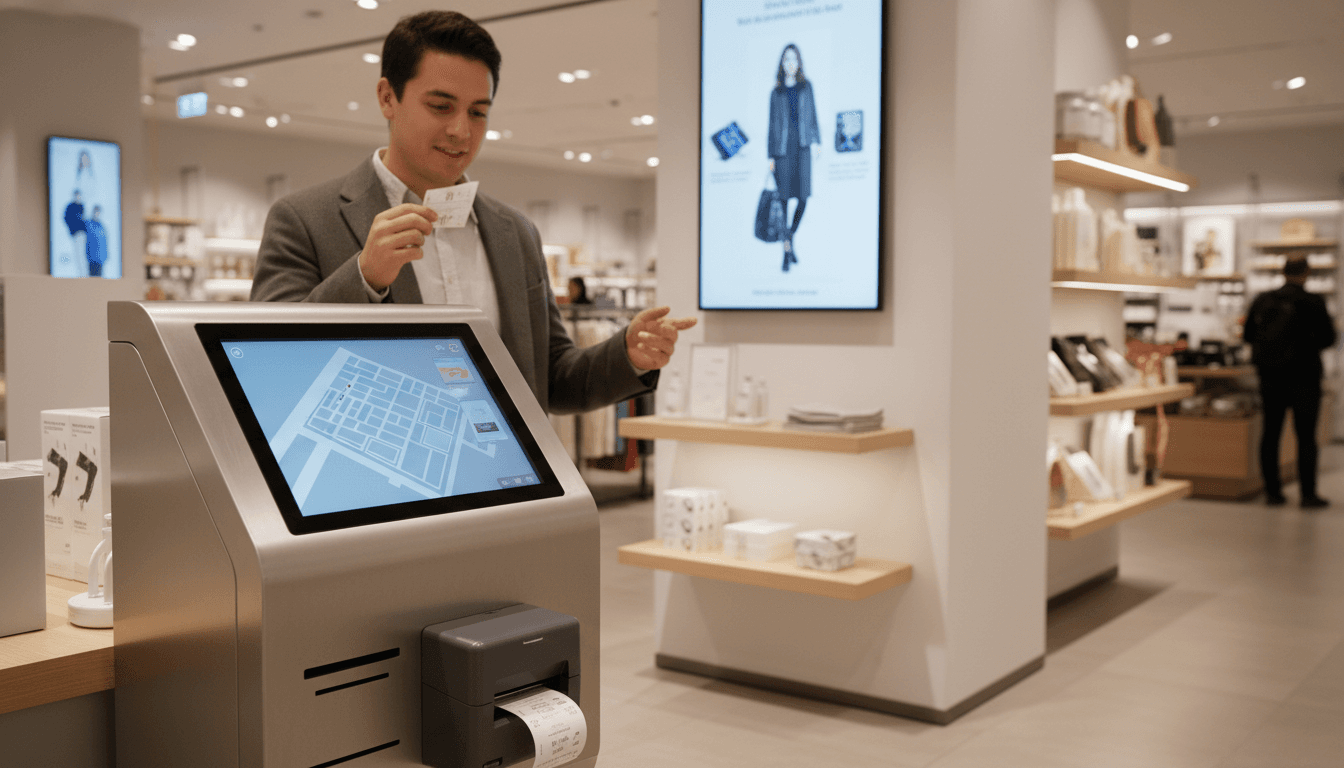
OnQ’s Take-a-Ticket approach replaces pre-printed fulfillment cards with a kiosk (tablet + printer) that prints item-specific tickets on demand. The big operational shift is simple:
- From static paper inventory (pre-printed cards)
- To dynamic, system-driven paper (printed from live product and inventory data)
That shift is what enables AI downstream. AI can’t optimize what it can’t see.
Snippet-worthy truth: AI in retail doesn’t start with a model. It starts with transaction events you can trust.
The hidden cost of pre-printed fulfillment cards
Pre-printed cards look “low tech,” but they create high-cost problems:
- Version control issues: Item details change—price, promo, bundle contents, barcode rules—and cards get stale fast.
- Operational drag: Teams must print, sort, replenish, and urgently reprint on short notice.
- Out-of-stock confusion: When inventory changes, staff have to manually pull cards from shelves or displays. They won’t catch all of them.
- Broken omnichannel: A card can’t intelligently route a shopper to an online purchase when the shelf is empty.
In the OnQ model, item data is digitized and printed as needed. If an item goes out of stock, the kiosk reflects it instantly—no “pull the tickets” scramble.
Take-a-Ticket kiosks: a practical bridge from store to e-commerce
Here’s what OnQ is doing that’s worth copying: it treats the kiosk as a decision point in the customer journey, not a gadget.
When a shopper wants something that isn’t available on the floor—or isn’t in stock at all—the kiosk can support a clean, non-awkward alternative: order online for delivery or browse a wider assortment than the store carries.
This is where omnichannel stops being a buzzword and becomes a measurable system.
“Endless aisle” works when inventory is credible
Retailers often pitch endless aisle as “more choice.” Customers experience it as “more choice if you don’t waste my time.” The difference is inventory accuracy and latency.
A Take-a-Ticket kiosk that connects directly to inventory management and e-commerce can:
- Show the correct buy options (in-store today, ship-to-home, click-and-collect, or backorder)
- Reduce staff time spent explaining stock issues
- Convert “sorry, we’re out” moments into revenue
And here’s the AI angle: every one of those interactions is a data event—SKU interest, substitution behavior, local demand by store, and the exact moment a customer accepted an alternative channel.
Printing still matters in a digital journey
It’s easy to assume paper is outdated. Retail reality is different:
- Shoppers still like a physical token when they’re buying higher-consideration products (electronics, premium home goods, seasonal gifts).
- Staff still need fast, legible artifacts that match the system (especially during peak trading weeks like December).
- Paper reduces abandonment when the customer wants to “carry” the decision to checkout without reopening screens.
A thermal printer is quick, cheap per ticket, and reliable. That reliability is what keeps the workflow consistent enough for AI analytics to be meaningful.
How this integration strengthens AI analytics (even if you never say “AI”)
Most retailers don’t have an “AI problem.” They have an instrumentation problem.
The OnQ + Epson setup creates a strong pattern: capture structured events at the moment of intent.
What data becomes available (and why it’s valuable)
When the kiosk prints a ticket tied to live item data, you can capture:
- SKU-level intent signals: which items get ticketed but not purchased
- Out-of-stock demand: exact “missed demand” volume by store and day
- Channel switching: how often shoppers move from in-store to online ordering
- Assortment gaps: “requested but not carried” patterns that inform ranging
- Staff intervention rates: how often a kiosk flow requires human help
That dataset feeds practical AI use cases:
- Demand forecasting: out-of-stock intent is a strong leading indicator
- Assortment optimization: identify store-level localized demand (useful for Ireland’s regional differences)
- Personalized recommendations: if the kiosk is tied to loyalty or session IDs, you can suggest substitutes that match intent
- Fraud and exception detection: anomalies in tickets printed vs. items sold can flag process issues
One-liner you can share internally: If your store can’t log intent, your AI is guessing.
A note on receipts and customer trust
If you’re collecting intent signals, be disciplined. Customers accept smarter experiences when:
- You’re clear about what’s being captured
- You keep it tied to service (stock accuracy, order status, returns)
- You avoid “creepy” personalization in-store
Good omnichannel AI is mostly invisible: it shows up as fewer dead ends.
Operational wins: speed, accuracy, and fewer “floor fixes”
The press release language is polite, but the operational impact is direct: the kiosk system streamlines several processes for teams who previously handled printed fulfillment cards and for retailers managing on-site inventory.
In December retail, that matters.
Where retailers actually feel the improvement
The biggest wins usually show up in three places:
-
Less manual merchandising work
- No more emergency print runs
- Fewer shelf audits for “wrong” or outdated cards
-
Cleaner handoff to checkout
- The printed ticket acts like a reliable “carry-forward” object
- Fewer mis-scans and fewer disputes over item configuration
-
Fewer customer disappointments
- Real-time out-of-stock visibility reduces false promises
- Online purchase options prevent lost sales
Why Epson’s m-Series style devices fit this trend
Epson’s point in the announcement is practical: modern retail environments need space efficiency, reliability, and flexibility. That’s the reality for kiosks, pop-ups, and compact departments.
Small hardware that “just works” is underrated. You can have brilliant AI models; if the device fails on the sales floor, the whole experience collapses.
Implementation checklist: if you’re considering kiosks + POS printing
If you’re a retail or e-commerce leader evaluating “take-a-ticket” or assisted sales kiosks, here’s what I’d insist on before rollout.
The non-negotiables (what separates pilots from production)
- Real-time inventory integration: near-real-time at minimum; batch updates create customer-facing errors.
- Single product truth: SKU, barcode, price, promo rules, and variant logic must come from one authoritative system.
- Event logging: every kiosk session should generate structured events (view, print, out-of-stock, order online).
- Fallback behavior: when integrations fail, the kiosk needs a safe mode (and the store needs a clear SOP).
- Consumables management: thermal paper replenishment sounds minor until it kills adoption.
AI-ready enhancements you can add later
Once the basics are stable, then add AI features that genuinely help:
- Smart substitutes: “closest match” recommendations based on size, color, compatibility, or price band
- Localized assortment suggestions: items likely to sell in that store based on ticketed intent
- Predictive staffing alerts: kiosks spiking in “help needed” events indicates floor friction
- Dynamic messaging: show accurate delivery dates and store pickup windows based on capacity
My stance: don’t start with personalization. Start with accuracy. Personalization only works when the fundamentals don’t lie.
What this means for AI in Retail and E-Commerce (Ireland included)
Irish retailers face the same core challenge as US chains: shoppers expect the store and the website to behave like one business. The difference is often scale and complexity—more mixed footprints, tighter staffing, and less tolerance for systems that require constant babysitting.
That’s why this OnQ–Epson integration is relevant to the broader theme of this series. It shows how practical retail tech integration—even something as plain as a POS thermal printer—supports:
- Omnichannel customer experience (endless aisle that’s actually dependable)
- AI analytics (clean signals on intent, stock-outs, and channel shifts)
- Operational resilience during peak season (fewer manual tasks, more consistency)
If you’re planning 2026 initiatives, don’t treat store hardware as “IT plumbing.” Treat it as the sensor network for your AI strategy.
The next question worth asking is simple: where else are customers revealing intent in your stores—without your systems noticing?