AI-ready campus spaces reduce friction, improve support, and strengthen learning outcomes. Practical steps to modernize spaces without massive renovations.
AI-Ready Campus Spaces That Boost Learning Outcomes
A campus renovation used to mean new furniture, nicer lighting, and maybe a fresh coat of paint. Now it’s increasingly about something less visible but far more important: how students move through learning, support, and collaboration without friction.
That shift matters for our series, "አርቲፊሻል ኢንተሊጀንስ በትምህርትና በስልጠና ዘርፍ", because AI doesn’t deliver value in isolation. AI delivers value when the environment—digital and physical—makes it easy to learn, easy to get help, and easy to create.
Here’s the stance I’ll take: most institutions aren’t losing students because they lack “more tech.” They’re losing students because everyday campus moments still feel harder than they should. AI can fix that—but only if we design spaces and services around real student behavior.
Modern campus design is really an AI data problem
Modernization works when it reduces friction across the student journey: finding a classroom, joining a group project, accessing a lab, getting IT support, or using a makerspace. AI strengthens that goal because it’s great at detecting patterns—but it needs signals.
A practical way to think about it:
- Spaces generate behavior (where students gather, when labs fill up, which help desks get overwhelmed)
- Behavior generates data (Wi‑Fi usage patterns, service tickets, room scheduling logs, access-control events)
- AI turns that data into decisions (predict demand, recommend resources, route support, personalize learning pathways)
If your campus systems are fragmented—separate apps for access, scheduling, support, signage—AI ends up blind. If they’re integrated, AI becomes a daily operational advantage.
“Frictionless” beats “flashy” every time
Students rarely praise a campus because it has digital signage. They praise it because they didn’t get lost, didn’t miss a deadline, and didn’t waste 45 minutes trying to fix a login issue.
AI-ready campuses aim for low-effort success:
- authentication that doesn’t break in the middle of a quiz
- Wi‑Fi that stays strong in high-density areas
- wayfinding that adapts to events and building changes
- support systems that respond before frustration becomes dropout risk
That’s not glamorous. It’s effective.
The AI-powered student experience starts with small touchpoints
Most student experience improvements aren’t “one big system.” They’re dozens of touchpoints that either work—or grind the day to a halt.
A good campus strategy is to modernize the touchpoints that shape daily perception:
Smart wayfinding and digital guidance
Static signs are fine until they’re wrong. AI-driven wayfinding is better because it can respond to real conditions.
What it looks like in practice:
- real-time directions that account for building closures and event congestion
- accessibility-aware routing (elevators out, ramps available, quieter paths)
- personalized prompts (first-year students get extra guidance during the first weeks)
If you’ve ever watched a student arrive late because they couldn’t find the right room, you already know the value.
AI-enhanced IT and student services support
Campus support is often the hidden retention engine. When help is slow, students feel abandoned. When help is fast, they feel the institution has their back.
AI improves service platforms by:
- auto-triaging tickets based on urgency and impact
- suggesting solutions instantly (password reset steps, device setup guides)
- detecting repeat incidents (a lab printer failing every Monday at 10am)
- routing to the right team without a human “handoff chain”
Here’s what works: define a small set of “student-critical services” (LMS access, Wi‑Fi onboarding, email, ID card access) and optimize those first. The outcome isn’t just lower ticket volume; it’s fewer missed classes and fewer stalled assignments.
Reliable wireless as the foundation for AI in education
AI tools in learning—adaptive practice, automated feedback, AI tutoring—are bandwidth and latency sensitive when used at scale. If wireless is inconsistent, the student experience is inconsistent.
An AI-ready Wi‑Fi approach focuses on:
- high-density performance (libraries, lecture halls, common areas)
- device diversity (student laptops, tablets, IoT sensors, VR gear)
- proactive monitoring using analytics (spot failures before students report them)
No network stability, no trustworthy AI learning experience. It’s that simple.
AI, enrollment, and retention: the uncomfortable truth
Facilities and campus experience increasingly influence enrollment decisions. Not because students want luxury—but because they interpret smooth operations as a signal of competence.
A modern campus communicates:
- “You’ll be supported here.”
- “You can build real skills here.”
- “Your time won’t be wasted.”
AI strengthens that message when it’s used to reduce drop-off moments.
Where AI directly impacts retention
Retention isn’t one decision; it’s a slow accumulation of stress.
AI helps by spotting patterns in:
- repeated LMS access issues
- frequent help desk contact from the same students
- poor course engagement signals (missed submissions, low participation)
- space constraints (students can’t access labs when they need them)
A practical student-success move is to create a Retention Friction Dashboard—a weekly view of the top 10 blockers by volume and severity.
- If 28% of tickets this week are “can’t access course materials,” that’s not IT trivia; that’s academic risk.
- If a makerspace is at 95% capacity every afternoon, that’s not popularity; that’s a scheduling and equity issue.
AI can classify, cluster, and predict those blockers—but leadership has to treat them like retention threats, not “operational noise.”
Makerspaces and innovation hubs: where AI meets real skills
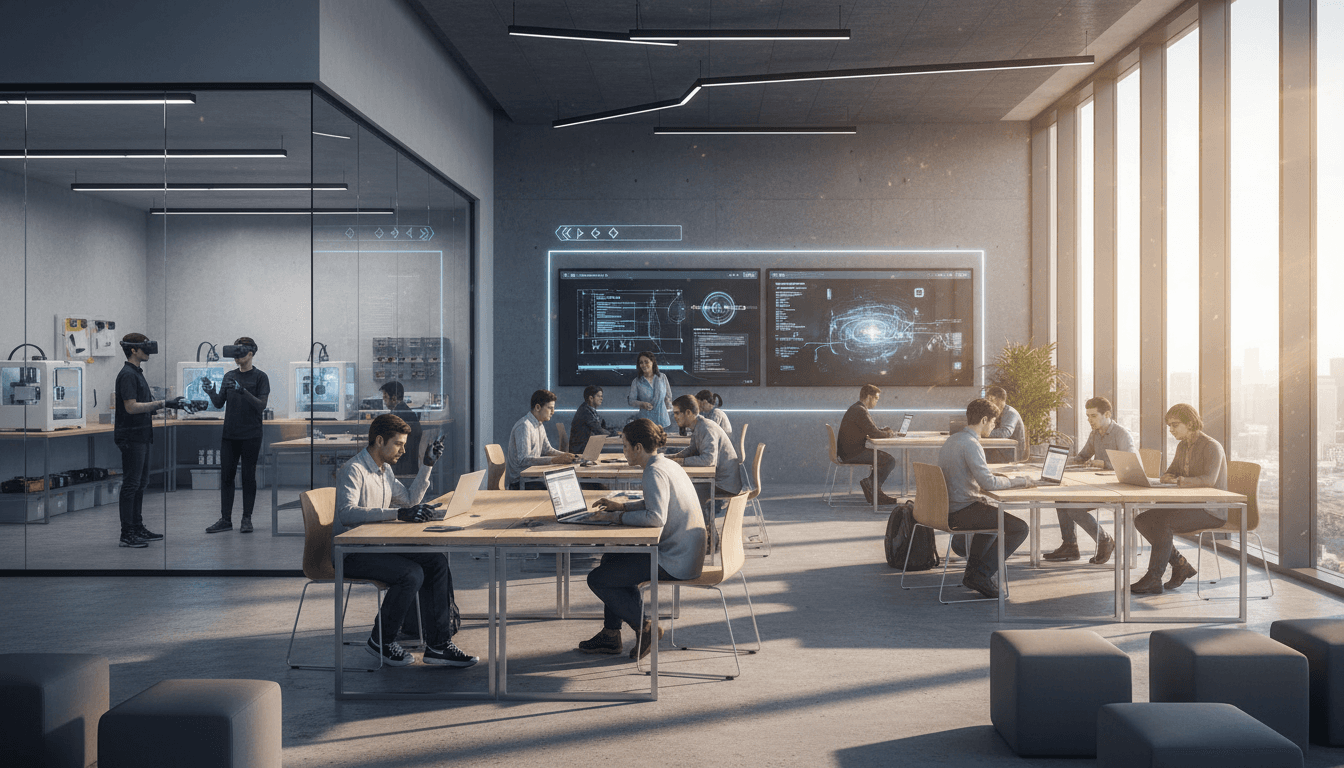
One of the most promising campus trends is turning libraries and common areas into makerspaces and innovation hubs—places for prototyping, content creation, and applied learning.
This is where the topic series fits perfectly: AI supports personalized learning paths and skill-building when students can actually make things.
What an AI-enabled innovation space should include
You don’t need everything. You need the right mix aligned to your programs.
High-impact components include:
- 3D printing and rapid prototyping for engineering and design
- podcast/video booths for communication, business, and teacher training
- VR/AR simulation zones for health, safety, and technical training
- collaboration tables with simple screen sharing and hybrid participation
Now add AI in ways that actually matter:
- AI-assisted design iteration (students compare versions, get rubric-aligned critique)
- AI-based equipment scheduling forecasts (predict peak demand and staff accordingly)
- AI-supported onboarding (interactive guidance for first-time tool use)
If a makerspace is intimidating, it becomes exclusive. AI can reduce that intimidation by turning “I don’t know how” into guided steps.
A realistic example of impact
Here’s a common before/after I’ve seen:
- Before: students avoid the makerspace because they fear breaking equipment or looking unprepared.
- After: students book time via a simple system, receive a short AI-guided pre-checklist, and get routed to the right tutorial based on their project type.
The difference isn’t the equipment. It’s the confidence.
Student co-design: the fastest way to get adoption right
Campuses that redesign spaces without students often end up with beautiful rooms that don’t get used. The fix is straightforward: treat students as co-designers, not end users.
How to run a “listening tour” that produces decisions
A listening tour fails when it becomes a collection of opinions. It succeeds when it produces prioritized changes.
A strong approach:
- Audit the student journey (arrival → navigation → learning → collaboration → support → co-curricular)
- Run short sessions with three groups:
- first-year students
- commuting students
- faculty and staff who support learning spaces
- Convert feedback into a backlog with three labels:
- High friction, high frequency
- High friction, low frequency
- Low friction, high frequency
Then act on the first category immediately.
AI can help here too: categorize comments, detect themes, and quantify what’s repeated. But the real win is cultural—students see their input become reality.
A phased modernization plan you can start next month
You don’t have to renovate every building to create an AI-ready campus. Start with upgrades that improve learning outcomes and student satisfaction quickly.
Phase 1 (0–90 days): eliminate the obvious friction
- stabilize Wi‑Fi in the top 5 most-used learning spaces
- standardize login/authentication pathways where possible
- modernize the help desk workflow (clear categories, faster routing, better self-service)
- improve signage and wayfinding for the most confusing routes
Phase 2 (3–9 months): connect data sources for AI value
- align room scheduling + occupancy insights
- integrate service management data with student-success teams (with privacy safeguards)
- implement dashboards for recurring incidents and peak demand
Phase 3 (9–18 months): personalize learning and expand innovation spaces
- deploy AI-supported learning tools in targeted programs (writing support, tutoring, practice systems)
- scale makerspaces/innovation hubs with equitable access (hours, training, remote support)
- introduce AI-driven forecasting for staffing, equipment maintenance, and space usage
Snippet-worthy truth: If AI isn’t reducing student friction weekly, it’s probably trapped in a pilot.
What to do next (and what to measure)
If your institution is investing in learning spaces, make them AI-ready by focusing on outcomes: faster support, easier navigation, better access to creation tools, and more personalized learning paths.
Measure what students feel, not just what IT deploys:
- median time to resolve student-critical tickets
- recurring “top 10” friction issues month over month
- makerspace utilization by time and student group (equity signal)
- classroom and common space occupancy vs. scheduling assumptions
- student satisfaction after key moments (orientation, first exams, midterms)
Our broader series is about how AI improves learning and training by enabling የግል የመማሪያ መንገዶች—personal learning pathways. The campus itself is part of that pathway. When spaces and services are designed for real behavior, AI becomes practical, not theoretical.
So here’s the forward-looking question worth sitting with: If you redesigned one student journey this semester using AI and better spaces—where would you start to make the biggest difference in 30 days?